 Alex Newman
375dd1c3d6
Alex Newman
375dd1c3d6
* feat: Add Context Injection Settings modal with terminal preview

Adds a new settings modal accessible from the viewer UI header that allows users to configure context injection parameters with a live terminal preview showing how observations will appear.

Changes:
- New ContextSettingsModal component with auto-saving settings
- TerminalPreview component for live context visualization
- useContextPreview hook for fetching preview data
- Modal positioned to left of color mode button
- Settings sync with backend via worker service API

🤖 Generated with [Claude Code](https://claude.com/claude-code)

Co-Authored-By: Claude <noreply@anthropic.com>

* feat: Add demo data and modify contextHook for cm_demo_content project

- Introduced DEMO_OBSERVATIONS and DEMO_SUMMARIES for the cm_demo_content project to provide mock data for testing and demonstration purposes.
- Updated contextHook to utilize demo data when the project is cm_demo_content, filtering observations based on configured types and concepts.
- Adjusted the worker service to use the contextHook with demo data, ensuring ANSI rendering for terminal output.
- Enhanced error handling and ensured proper closure of database connections.

* feat: add GitHub stars button with dynamic star count

- Implemented a new GitHubStarsButton component that fetches and displays the star count for a specified GitHub repository.
- Added useGitHubStars hook to handle API requests and state management for star count.
- Created formatStarCount utility function to format the star count into compact notation (k/M suffixes).
- Styled the GitHub stars button to match existing UI components, including hover and active states.
- Updated Header component to include the new GitHubStarsButton, replacing the static GitHub link.
- Added responsive styles to hide the GitHub stars button on mobile devices.

* feat: add API endpoint to fetch distinct projects and update context settings modal

- Implemented a new API endpoint `/api/projects` in `worker-service.ts` to retrieve a list of distinct projects from the observations.
- Modified `ContextSettingsModal.tsx` to replace the current project display with a dropdown for selecting projects, utilizing the fetched project list.
- Updated `useContextPreview.ts` to fetch projects on mount and manage the selected project state.
- Removed the `currentProject` prop from `ContextSettingsModal` and `App` components as it is now managed internally within the modal.

* Enhance Context Settings Modal and Terminal Preview

- Updated the styling of the Context Settings Modal for a modern clean design, including improved backdrop, header, and body layout.
- Introduced responsive design adjustments for smaller screens.
- Added custom scrollbar styles for better user experience.
- Refactored the TerminalPreview component to utilize `ansi-to-html` for rendering ANSI content, improving text display.
- Implemented new font variables for terminal styling across the application.
- Enhanced checkbox and input styles in the settings panel for better usability and aesthetics.
- Improved the layout and structure of settings groups and chips for a more organized appearance.

* Refactor UI components for compact design and enhance MCP toggle functionality

- Updated grid layout in viewer.html and viewer-template.html for better space utilization.
- Reduced padding and font sizes in settings groups, filter chips, and form controls for a more compact appearance.
- Implemented MCP toggle state management in ContextSettingsModal with API integration for status fetching and toggling.
- Reorganized settings groups for clarity, renaming and consolidating sections for improved user experience.
- Added feedback mechanism for MCP toggle status to inform users of changes and errors.

* feat: add collapsible sections, chip groups, form fields with tooltips, and toggle switches in settings modal

- Implemented collapsible sections for better organization of settings.
- Added chip groups with select all/none functionality for observation types and concepts.
- Enhanced form fields with optional tooltips for better user guidance.
- Introduced toggle switches for various settings, improving user interaction.
- Updated styles for new components to ensure consistency and responsiveness.
- Refactored ContextSettingsModal to utilize new components and improve readability.
- Improved TerminalPreview component styling for better layout and usability.

* Refactor modal header and preview selector styles; enhance terminal preview functionality

- Updated modal header padding and added gap for better spacing.
- Introduced a new header-controls section to include a project preview selector.
- Enhanced the preview selector styles for improved usability and aesthetics.
- Adjusted the preview column styles for a cleaner look.
- Implemented word wrap toggle functionality in the TerminalPreview component, allowing users to switch between wrapped and scrollable text.
- Improved scroll position handling in TerminalPreview to maintain user experience during content updates.

* feat: enhance modal settings with new icon links and update header controls

- Added new modal icon links for documentation and social media in ContextSettingsModal.
- Updated the header to remove sidebar toggle functionality and replaced it with context preview toggle.
- Refactored styles for modal icon links to improve UI/UX.
- Removed sidebar component from App and adjusted related state management.

* chore: remove abandoned cm_demo_content demo data approach

The demo data feature was prototyped but didn't work out. Removes:
- DEMO_OBSERVATIONS and DEMO_SUMMARIES arrays
- Conditional logic that bypassed DB for demo project
- Demo mode check in prior message extraction

🤖 Generated with [Claude Code](https://claude.com/claude-code)

Co-Authored-By: Claude <noreply@anthropic.com>

---------

Co-authored-by: Claude <noreply@anthropic.com>


Persistent memory compression system built for Claude Code.




Quick Start • How It Works • Search Tools • Documentation • Configuration • Troubleshooting • License
Claude-Mem seamlessly preserves context across sessions by automatically capturing tool usage observations, generating semantic summaries, and making them available to future sessions. This enables Claude to maintain continuity of knowledge about projects even after sessions end or reconnect.
Quick Start
Start a new Claude Code session in the terminal and enter the following commands:
> /plugin marketplace add thedotmack/claude-mem

> /plugin install claude-mem
Restart Claude Code. Context from previous sessions will automatically appear in new sessions.
Key Features:
- 🧠 Persistent Memory - Context survives across sessions
- 📊 Progressive Disclosure - Layered memory retrieval with token cost visibility
- 🔍 Skill-Based Search - Query your project history with mem-search skill (~2,250 token savings)
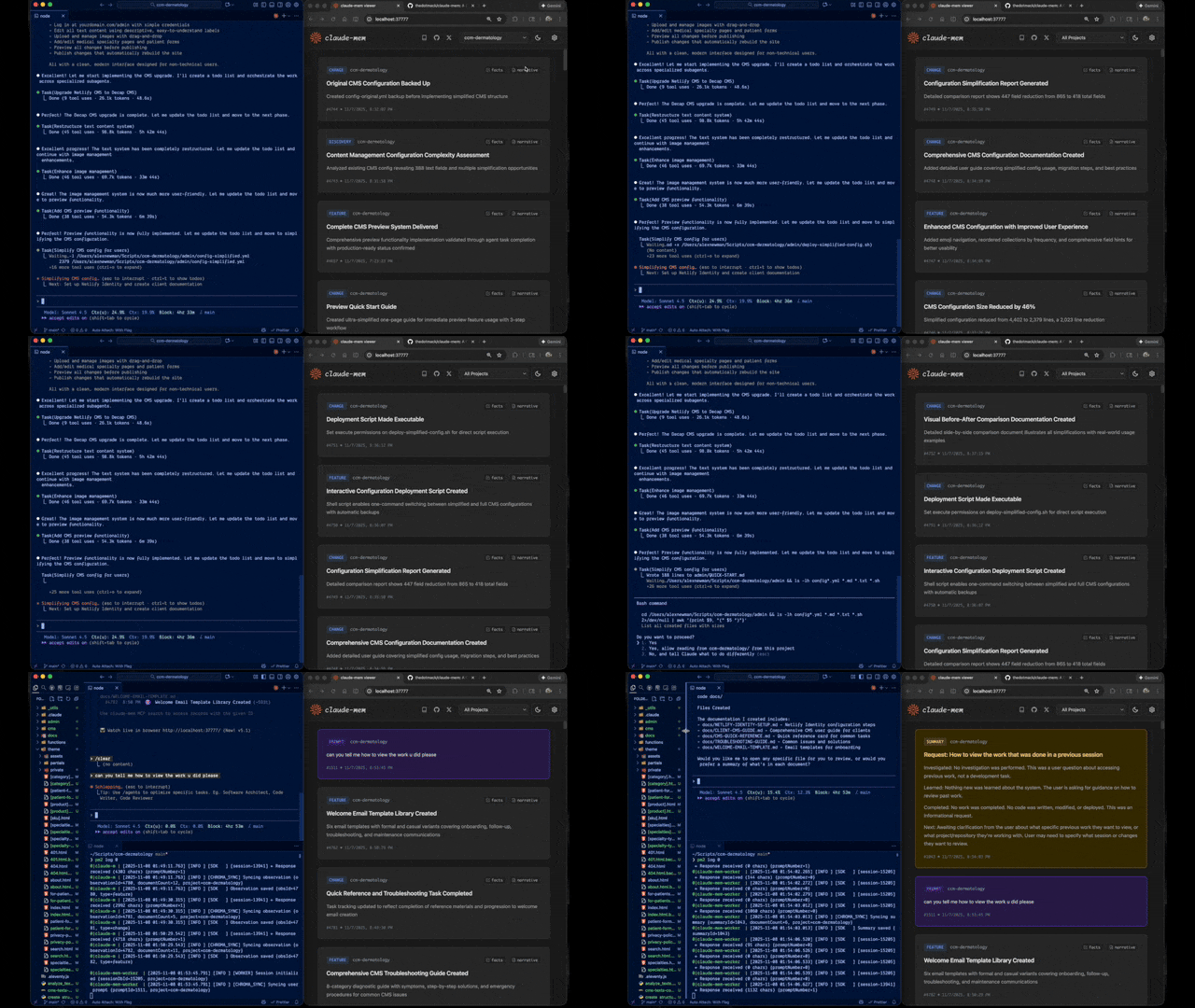
- 🖥️ Web Viewer UI - Real-time memory stream at http://localhost:37777
- 🤖 Automatic Operation - No manual intervention required
- 🔗 Citations - Reference past decisions with
claude-mem://URIs - 🧪 Beta Channel - Try experimental features like Endless Mode via version switching
Documentation
📚 View Full Documentation - Browse markdown docs on GitHub
💻 Local Preview: Run Mintlify docs locally:
cd docs
npx mintlify dev
Getting Started
- Installation Guide - Quick start & advanced installation
- Usage Guide - How Claude-Mem works automatically
- Search Tools - Query your project history with natural language
- Beta Features - Try experimental features like Endless Mode
Best Practices
- Context Engineering - AI agent context optimization principles
- Progressive Disclosure - Philosophy behind Claude-Mem's context priming strategy
Architecture
- Overview - System components & data flow
- Architecture Evolution - The journey from v3 to v5
- Hooks Architecture - How Claude-Mem uses lifecycle hooks
- Hooks Reference - 7 hook scripts explained
- Worker Service - HTTP API & PM2 management
- Database - SQLite schema & FTS5 search
- Search Architecture - Hybrid search with Chroma vector database
Configuration & Development
- Configuration - Environment variables & settings
- Development - Building, testing, contributing
- Troubleshooting - Common issues & solutions
How It Works
┌─────────────────────────────────────────────────────────────┐
│ Session Start → Inject recent observations as context      │
└─────────────────────────────────────────────────────────────┘
                            ↓
┌─────────────────────────────────────────────────────────────┐
│ User Prompts → Create session, save user prompts           │
└─────────────────────────────────────────────────────────────┘
                            ↓
┌─────────────────────────────────────────────────────────────┐
│ Tool Executions → Capture observations (Read, Write, etc.)  │
└─────────────────────────────────────────────────────────────┘
                            ↓
┌─────────────────────────────────────────────────────────────┐
│ Worker Processes → Extract learnings via Claude Agent SDK   │
└─────────────────────────────────────────────────────────────┘
                            ↓
┌─────────────────────────────────────────────────────────────┐
│ Session Ends → Generate summary, ready for next session     │
└─────────────────────────────────────────────────────────────┘
Core Components:
- 6 Lifecycle Hooks - context-hook, user-message-hook, new-hook, save-hook, summary-hook, cleanup-hook
- Smart Install - Cached dependency checker (pre-hook script, not a lifecycle hook)
- Worker Service - HTTP API on port 37777 with web viewer UI and 10 search endpoints, managed by PM2
- SQLite Database - Stores sessions, observations, summaries with FTS5 full-text search
- mem-search Skill - Natural language queries with progressive disclosure (~2,250 token savings vs MCP)
- Chroma Vector Database - Hybrid semantic + keyword search for intelligent context retrieval
See Architecture Overview for details.
mem-search Skill
Claude-Mem provides intelligent search through the mem-search skill that auto-invokes when you ask about past work:
How It Works:
- Just ask naturally: "What did we do last session?" or "Did we fix this bug before?"
- Claude automatically invokes the mem-search skill to find relevant context
- ~2,250 token savings per session start vs MCP approach
Available Search Operations:
- Search Observations - Full-text search across observations
- Search Sessions - Full-text search across session summaries
- Search Prompts - Search raw user requests
- By Concept - Find by concept tags (discovery, problem-solution, pattern, etc.)
- By File - Find observations referencing specific files
- By Type - Find by type (decision, bugfix, feature, refactor, discovery, change)
- Recent Context - Get recent session context for a project
- Timeline - Get unified timeline of context around a specific point in time
- Timeline by Query - Search for observations and get timeline context around best match
- API Help - Get search API documentation
Example Natural Language Queries:
"What bugs did we fix last session?"
"How did we implement authentication?"
"What changes were made to worker-service.ts?"
"Show me recent work on this project"
"What was happening when we added the viewer UI?"
See Search Tools Guide for detailed examples.
Beta Features & Endless Mode
Claude-Mem offers a beta channel with experimental features. Switch between stable and beta versions directly from the web viewer UI.
How to Try Beta
- Open http://localhost:37777
- Click Settings (gear icon)
- In Version Channel, click "Try Beta (Endless Mode)"
- Wait for the worker to restart
Your memory data is preserved when switching versions.
Endless Mode (Beta)
The flagship beta feature is Endless Mode - a biomimetic memory architecture that dramatically extends session length:
The Problem: Standard Claude Code sessions hit context limits after ~50 tool uses. Each tool adds 1-10k+ tokens, and Claude re-synthesizes all previous outputs on every response (O(N²) complexity).
The Solution: Endless Mode compresses tool outputs into ~500-token observations and transforms the transcript in real-time:
Working Memory (Context):     Compressed observations (~500 tokens each)
Archive Memory (Disk):        Full tool outputs preserved for recall
Expected Results:
- ~95% token reduction in context window
- ~20x more tool uses before context exhaustion
- Linear O(N) scaling instead of quadratic O(N²)
- Full transcripts preserved for perfect recall
Caveats: Adds latency (60-90s per tool for observation generation), still experimental.
See Beta Features Documentation for details.
What's New in v6.0.0
🚀 Major Session Management & Transcript Processing Improvements:
- Enhanced Session Initialization: Accept userPrompt and promptNumber for better context tracking
- Live UserPrompt Updates: Multi-turn conversation support with real-time prompt tracking
- Improved SessionManager: Better context handling and observation processing
- Comprehensive Transcript Processing: New scripts and utilities for analyzing Claude Code transcripts
- Rich Context Extraction: Advanced parsing utilities for extracting meaningful context from sessions
- Refactored Architecture: Improved hooks and SDKAgent for more reliable observation handling
- Silent Debug Logging: Better debugging capabilities without cluttering output
- Enhanced Error Handling: More robust error recovery and debugging tools
Breaking Changes: Significant architectural changes in session management and observation handling. Existing sessions continue to work, but internal APIs have evolved.
Previous Highlights:
- v5.5.0: mem-search skill enhancement with 100% effectiveness rate
- v5.4.0: Skill-based search architecture (~2,250 tokens saved per session)
- v5.1.2: Theme toggle for light/dark mode in viewer UI
- v5.1.0: Web-based viewer UI with real-time updates
- v5.0.3: Smart install caching (2-5s → 10ms)
- v5.0.0: Hybrid search with Chroma vector database
See CHANGELOG.md for complete version history.
System Requirements
- Node.js: 18.0.0 or higher
- Claude Code: Latest version with plugin support
- PM2: Process manager (bundled - no global install required)
- SQLite 3: For persistent storage (bundled)
Key Benefits
Progressive Disclosure Context
- Layered memory retrieval mirrors human memory patterns
- Layer 1 (Index): See what observations exist with token costs at session start
- Layer 2 (Details): Fetch full narratives on-demand via MCP search
- Layer 3 (Perfect Recall): Access source code and original transcripts
- Smart decision-making: Token counts help Claude choose between fetching details or reading code
- Type indicators: Visual cues (🔴 critical, 🟤 decision, 🔵 informational) highlight observation importance
Automatic Memory
- Context automatically injected when Claude starts
- No manual commands or configuration needed
- Works transparently in the background
Full History Search
- Search across all sessions and observations
- FTS5 full-text search for fast queries
- Citations link back to specific observations
Structured Observations
- AI-powered extraction of learnings
- Categorized by type (decision, bugfix, feature, etc.)
- Tagged with concepts and file references
Multi-Prompt Sessions
- Sessions span multiple user prompts
- Context preserved across
/clearcommands - Track entire conversation threads
Configuration
Model Selection:
./claude-mem-settings.sh
Environment Variables:
CLAUDE_MEM_MODEL- AI model for processing (default: claude-sonnet-4-5)CLAUDE_MEM_WORKER_PORT- Worker port (default: 37777)CLAUDE_MEM_DATA_DIR- Data directory override (dev only)
See Configuration Guide for details.
Development
# Clone and build
git clone https://github.com/thedotmack/claude-mem.git
cd claude-mem
npm install
npm run build

# Run tests
npm test

# Start worker
npm run worker:start

# View logs
npm run worker:logs
See Development Guide for detailed instructions.
Troubleshooting
Quick Diagnostic:
If you're experiencing issues, describe the problem to Claude and the troubleshoot skill will automatically activate to diagnose and provide fixes.
Common Issues:
- Worker not starting →
npm run worker:restart - No context appearing →
npm run test:context - Database issues →
sqlite3 ~/.claude-mem/claude-mem.db "PRAGMA integrity_check;" - Search not working → Check FTS5 tables exist
See Troubleshooting Guide for complete solutions.
Contributing
Contributions are welcome! Please:
- Fork the repository
- Create a feature branch
- Make your changes with tests
- Update documentation
- Submit a Pull Request
See Development Guide for contribution workflow.
License
This project is licensed under the GNU Affero General Public License v3.0 (AGPL-3.0).
Copyright (C) 2025 Alex Newman (@thedotmack). All rights reserved.
See the LICENSE file for full details.
What This Means:
- You can use, modify, and distribute this software freely
- If you modify and deploy on a network server, you must make your source code available
- Derivative works must also be licensed under AGPL-3.0
- There is NO WARRANTY for this software
Support
- Documentation: docs/
- Issues: GitHub Issues
- Repository: github.com/thedotmack/claude-mem
- Author: Alex Newman (@thedotmack)
Built with Claude Agent SDK | Powered by Claude Code | Made with TypeScript