 Alex Newman
5533412984
Alex Newman
5533412984
* fix(mcp): drop ${_R%/} parameter-expansion trim that trips Claude Code MCP validator

The POSIX substring trim ${_R%/} is misread by Claude Code's MCP-config
validator as a required env var named "_R%/", causing /doctor to flag
mcp-search as invalid on every install. POSIX collapses // in paths, so
the trim was cosmetic — drop it and the validator passes.

Fixes #2350, #2354, #2356.

Co-Authored-By: Claude Opus 4.7 (1M context) <noreply@anthropic.com>

* fix(env): block ANTHROPIC_BASE_URL leak + three-branch OAuth-skip predicate

Issue #2375: parent-shell ANTHROPIC_BASE_URL leaked through to subprocess
isolatedEnv, while ANTHROPIC_AUTH_TOKEN was blocked. The OAuth-skip
predicate fired on bare BASE_URL, but no auth credential reached the
subprocess -> "Not logged in". Add ANTHROPIC_BASE_URL to BLOCKED_ENV_VARS
so it can only enter isolatedEnv via ~/.claude-mem/.env.

Replace the OAuth-skip predicate with three branches to prevent a
second-order security regression: a user with a tokenless gateway
configured in .env (BASE_URL only, no token) would otherwise have their
Anthropic OAuth token fetched and sent to their gateway. Token leak to
third party. Three-branch predicate:

1. BASE_URL set -> return without OAuth (custom gateway, never leak token)
2. API_KEY or AUTH_TOKEN set -> return without OAuth (explicit credentials)
3. Otherwise -> OAuth lookup for api.anthropic.com

Adds tests/env-isolation.test.ts.

Fixes #2375.

Co-Authored-By: Claude Opus 4.7 (1M context) <noreply@anthropic.com>

* fix(worker): classify Claude SDK HTTP 400 as unrecoverable

ClaudeProvider previously had no explicit HTTP 400 handling — the
default branch classified all errors as `transient`, so a permanent
400 (e.g., model rejecting an `effort` parameter forwarded from a
leaked CLAUDE_CODE_EFFORT_LEVEL) would be retried indefinitely
(#1874+ retries observed in one session per #2357).

Mirror GeminiProvider/OpenRouterProvider's pattern: classify 400 as
`unrecoverable`, 401/403 as `auth_invalid`, 429 as `rate_limit`,
default to `transient`. When the 400 body matches the
"effort parameter" signature, emit a one-time SDK warn log pointing
at the env-leak fix in ~/.claude-mem/.env.

Adds tests/claude-provider-error-classifier.test.ts.

Fixes #2357.

Co-Authored-By: Claude Opus 4.7 (1M context) <noreply@anthropic.com>

* fix(chroma): pin onnxruntime>=1.20 + protobuf<7 to fix INVALID_PROTOBUF on macOS arm64

The shipped all-MiniLM-L6-v2 model has pytorch-2.0 IR. chroma-mcp 0.2.6
transitively depends on `chromadb>=1.0.16` which only requires
`onnxruntime>=1.14.1` — uv can therefore resolve to an onnxruntime old
enough to fail every embedding add with `[ONNXRuntimeError] : 7 :
INVALID_PROTOBUF` on macOS arm64 / Python 3.13. Semantic search silently
degraded to FTS-only and smart backfill broke (#2371).

Path B (override) was required because chroma-mcp 0.2.6 is the latest
PyPI release — no upstream bump exists.

Inject `--with onnxruntime>=1.20 --with protobuf<7` into the uvx spawn
args (both persistent and remote modes). The protobuf cap is essential:
forcing only `onnxruntime>=1.20` causes uv to re-resolve and land on
protobuf 7.x, which trips opentelemetry's `_pb2` stubs with `TypeError:
Descriptors cannot be created directly` because they were generated
with protoc <3.19. Capping below 7 lands on protobuf 6.x which
opentelemetry tolerates.

Verified end-to-end: ONNX model loads, embeddings produce a 384-dim
vector, PersistentClient init / add / query roundtrip succeeds:

    uvx --python 3.13 --with "onnxruntime>=1.20" --with "protobuf<7" \
        chroma-mcp==0.2.6 --help     # clean
    # programmatic test: onnxruntime 1.26.0, protobuf 6.33.6,
    # embedding ok 384, query ok ids=[['1']]

Fixes #2371.

Co-Authored-By: Claude Opus 4.7 (1M context) <noreply@anthropic.com>

* fix(chroma): enforce single chroma-mcp subprocess per worker (#2313)

Root cause: every reconnect path in ChromaMcpManager — connectInternal's
re-entry, the connect-timeout catch, callTool's transport-error retry, and
the transport.onclose handler — used to abandon `this.transport`/`this.client`
by calling at most `transport.close()` and nulling the handles. The MCP SDK's
StdioClientTransport.close() only signals the direct child (uvx); on Linux the
grandchildren (uv -> python -> chroma-mcp) re-parent to init and survive
because the SDK does not put the subprocess in its own process group. Each
reconnect therefore leaked a full chroma-mcp tree, accumulating 20+ instances
per session.

Fix: introduce a private disposeCurrentSubprocess() helper that always tree-
kills via the existing killProcessTree primitive before nulling the transport
reference, and route every "abandon current transport" path (reconnect,
connect-timeout, transport error, onclose, stop) through it. The existing
`connecting: Promise<void> | null` lock continues to serialize concurrent
ensureConnected() callers into a single spawn.

Adds tests/services/sync/chroma-mcp-manager-singleton.test.ts covering:
- 5 parallel ensureConnected() calls produce exactly one spawn
- a transport-error reconnect tree-kills the prior subprocess pid before
  spawning a replacement
- stop() disposes state including any pending connecting promise

Manual verification needed on Linux: after a long session with multiple
tool uses, `ps aux | grep chroma-mcp | wc -l` should return 1, not 20+.

Fixes #2313.

Co-Authored-By: Claude Opus 4.7 (1M context) <noreply@anthropic.com>

* fix(build): polyfill import.meta.url to __filename in CJS worker bundle

The worker bundles ESM dependencies (notably @anthropic-ai/claude-agent-sdk's
*.mjs files) into CJS output. Those modules call createRequire(import.meta.url)
at module-load time. esbuild's CJS output left this as createRequire(ute.url)
— where `ute` is its `import.meta` polyfill `{}` — so `ute.url` was undefined
and module-load crashed with:

  TypeError: The argument 'filename' must be a file URL object, file URL
  string, or absolute path string. Received undefined
  code: ERR_INVALID_ARG_VALUE

Every Stop hook and every worker subprocess invocation hit this. Fix is the
esbuild `define` option mapping `import.meta.url` to `__filename` (provided as
a real absolute path by the existing CJS prelude in the banner).

Co-Authored-By: Claude Opus 4.7 (1M context) <noreply@anthropic.com>

* chore: daily dep bump per CLAUDE.md maintenance policy

Root: @anthropic-ai/claude-agent-sdk, @clack/prompts, @types/node,
dompurify, postcss, react, react-dom, yaml, zod.
plugin/: tree-sitter-cli, zod.
openclaw/: @types/node.

All patch/minor bumps; no major version changes.

Co-Authored-By: Claude Opus 4.7 (1M context) <noreply@anthropic.com>

* build: regenerate plugin artifacts after env/chroma/mcp fixes

Built artifacts are committed so the marketplace-installable plugin
ships with the runtime bundles. Picks up:
- d7b145e9 .mcp.json shell-prelude trim drop
- a8cbd651 EnvManager BASE_URL block + 3-branch predicate
- 8cb73b8c ClaudeProvider HTTP 400 unrecoverable classifier
- ecd5b802 ChromaMcpManager onnxruntime/protobuf overrides
- c79324ea ChromaMcpManager singleton enforcement
- e8376f46 esbuild import.meta.url -> __filename polyfill
- a7541d71 daily dep bump

Co-Authored-By: Claude Opus 4.7 (1M context) <noreply@anthropic.com>

* build: regenerate plugin artifacts after main merge

Bundles now include both v13.0.0 server-beta runtime (server-beta-service.cjs
+ updated mcp-server.cjs / worker-service.cjs) and this branch's chroma /
env / build / Claude SDK fixes.

Verified: bun test tests/env-isolation.test.ts \\
  tests/claude-provider-error-classifier.test.ts \\
  tests/services/sync/chroma-mcp-manager-singleton.test.ts
→ 13/13 pass.

Co-Authored-By: Claude Opus 4.7 (1M context) <noreply@anthropic.com>

* fix(review): address CodeRabbit findings on PR #2394

1. scripts/build-hooks.js — `import.meta.url` now maps to a file:// URL
   (via pathToFileURL(__filename).href in the CJS banner) instead of the
   raw __filename path. Preserves URL semantics for any bundled ESM dep
   that does `new URL(rel, import.meta.url)`. createRequire still works.

2. src/shared/EnvManager.ts — added envFilePath() that resolves
   CLAUDE_MEM_ENV_FILE lazily (falling back to paths.envFile()), and
   switched internal load/save call sites to use it. ENV_FILE_PATH is
   kept as a deprecated snapshot for back-compat. Lets tests target a
   temp file without depending on module-load order.

3. tests/env-isolation.test.ts — redirects to a temp dir via
   CLAUDE_MEM_ENV_FILE in beforeAll, removes all mutation of the real
   ~/.claude-mem/.env, and wraps the OAuth-spy assertion in try/finally
   so the spy is always restored even if the test fails.

Verified:
  bun test tests/env-isolation.test.ts \
    tests/claude-provider-error-classifier.test.ts \
    tests/services/sync/chroma-mcp-manager-singleton.test.ts
  → 13/13 pass

Co-Authored-By: Claude Opus 4.7 (1M context) <noreply@anthropic.com>

---------

Co-authored-by: Claude Opus 4.7 (1M context) <noreply@anthropic.com>


🇨🇳 中文 • 🇹🇼 繁體中文 • 🇯🇵 日本語 • 🇵🇹 Português • 🇧🇷 Português • 🇰🇷 한국어 • 🇪🇸 Español • 🇩🇪 Deutsch • 🇫🇷 Français • 🇮🇱 עברית • 🇸🇦 العربية • 🇷🇺 Русский • 🇵🇱 Polski • 🇨🇿 Čeština • 🇳🇱 Nederlands • 🇹🇷 Türkçe • 🇺🇦 Українська • 🇻🇳 Tiếng Việt • 🇵🇭 Tagalog • 🇮🇩 Indonesia • 🇹🇭 ไทย • 🇮🇳 हिन्दी • 🇧🇩 বাংলা • 🇵🇰 اردو • 🇷🇴 Română • 🇸🇪 Svenska • 🇮🇹 Italiano • 🇬🇷 Ελληνικά • 🇭🇺 Magyar • 🇫🇮 Suomi • 🇩🇰 Dansk • 🇳🇴 Norsk
Persistent memory compression system built for Claude Code.





|
|
Quick Start • How It Works • Search Tools • Documentation • Configuration • Troubleshooting • License
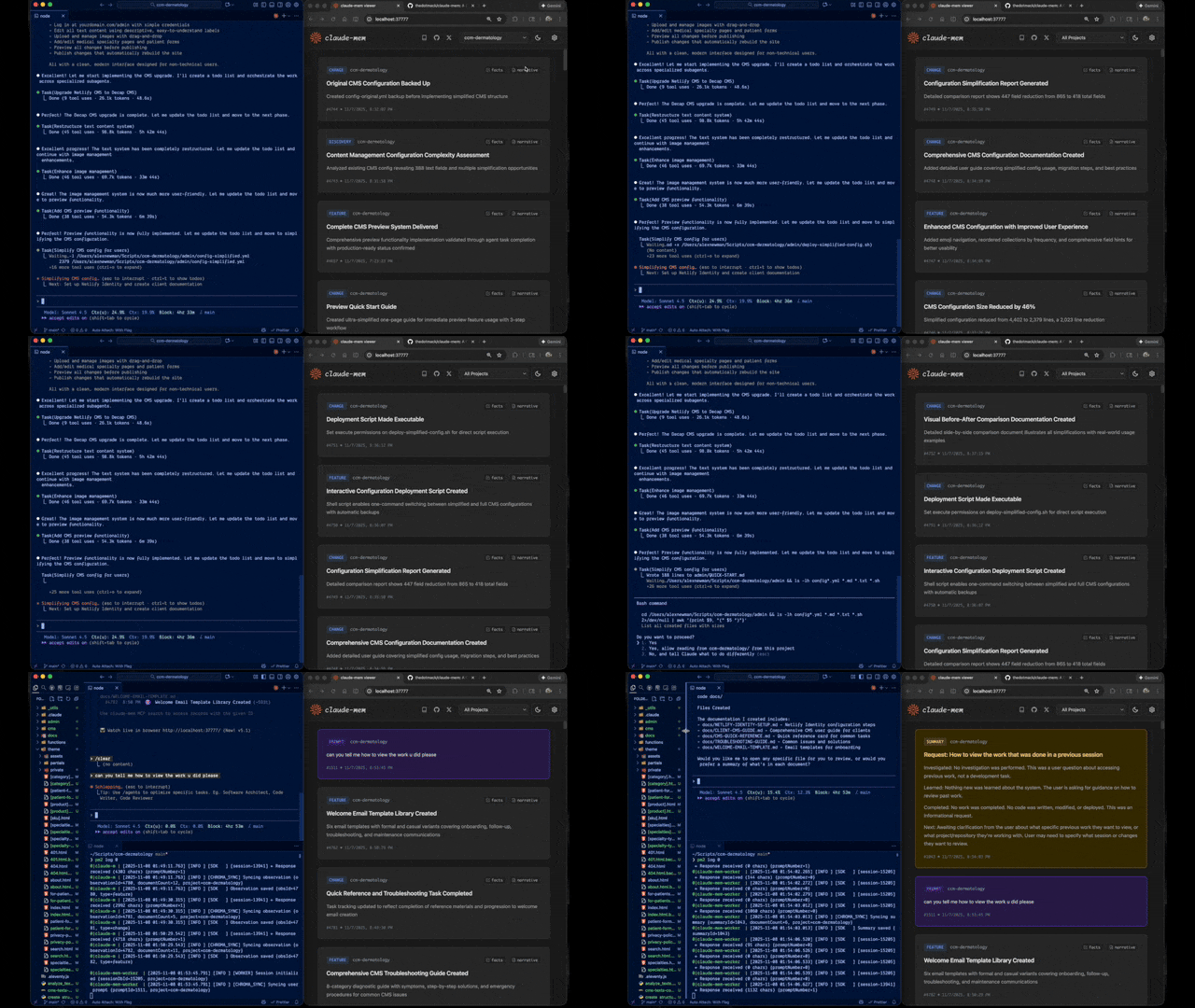
Claude-Mem seamlessly preserves context across sessions by automatically capturing tool usage observations, generating semantic summaries, and making them available to future sessions. This enables Claude to maintain continuity of knowledge about projects even after sessions end or reconnect.
Quick Start
Install with a single command:
npx claude-mem install
Or install for Gemini CLI (auto-detects ~/.gemini):
npx claude-mem install --ide gemini-cli
Or install for OpenCode:
npx claude-mem install --ide opencode
Or install from the plugin marketplace inside Claude Code:
/plugin marketplace add thedotmack/claude-mem

/plugin install claude-mem
Restart Claude Code or Gemini CLI. Context from previous sessions will automatically appear in new sessions.
Note: Claude-Mem is also published on npm, but
npm install -g claude-meminstalls the SDK/library only — it does not register the plugin hooks or set up the worker service. Always install vianpx claude-mem installor the/plugincommands above.
🦞 OpenClaw Gateway
Install claude-mem as a persistent memory plugin on OpenClaw gateways with a single command:
curl -fsSL https://install.cmem.ai/openclaw.sh | bash
The installer handles dependencies, plugin setup, AI provider configuration, worker startup, and optional real-time observation feeds to Telegram, Discord, Slack, and more. See the OpenClaw Integration Guide for details.
Key Features:
- 🧠 Persistent Memory - Context survives across sessions
- 📊 Progressive Disclosure - Layered memory retrieval with token cost visibility
- 🔍 Skill-Based Search - Query your project history with mem-search skill
- 🖥️ Web Viewer UI - Real-time memory stream at http://localhost:37777
- 💻 Claude Desktop Skill - Search memory from Claude Desktop conversations
- 🔒 Privacy Control - Use
<private>tags to exclude sensitive content from storage - ⚙️ Context Configuration - Fine-grained control over what context gets injected
- 🤖 Automatic Operation - No manual intervention required
- 🔗 Citations - Reference past observations with IDs (access via http://localhost:37777/api/observation/{id} or view all in the web viewer at http://localhost:37777)
- 🧪 Beta Channel - Try experimental features like Endless Mode via version switching
Documentation
📚 View Full Documentation - Browse on official website
Getting Started
- Installation Guide - Quick start & advanced installation
- Gemini CLI Setup - Dedicated guide for Google's Gemini CLI integration
- Usage Guide - How Claude-Mem works automatically
- Search Tools - Query your project history with natural language
- Beta Features - Try experimental features like Endless Mode
Best Practices
- Context Engineering - AI agent context optimization principles
- Progressive Disclosure - Philosophy behind Claude-Mem's context priming strategy
Architecture
- Overview - System components & data flow
- Architecture Evolution - The journey from v3 to v5
- Hooks Architecture - How Claude-Mem uses lifecycle hooks
- Hooks Reference - 7 hook scripts explained
- Worker Service - HTTP API & Bun management
- Database - SQLite schema & FTS5 search
- Search Architecture - Hybrid search with Chroma vector database
Configuration & Development
- Configuration - Environment variables & settings
- Development - Building, testing, contributing
- Troubleshooting - Common issues & solutions
How It Works
Core Components:
- 5 Lifecycle Hooks - SessionStart, UserPromptSubmit, PostToolUse, Stop, SessionEnd (6 hook scripts)
- Smart Install - Cached dependency checker (pre-hook script, not a lifecycle hook)
- Worker Service - HTTP API on port 37777 with web viewer UI and 10 search endpoints, managed by Bun
- SQLite Database - Stores sessions, observations, summaries
- mem-search Skill - Natural language queries with progressive disclosure
- Chroma Vector Database - Hybrid semantic + keyword search for intelligent context retrieval
See Architecture Overview for details.
MCP Search Tools
Claude-Mem provides intelligent memory search through 4 MCP tools following a token-efficient 3-layer workflow pattern:
The 3-Layer Workflow:
search- Get compact index with IDs (~50-100 tokens/result)timeline- Get chronological context around interesting resultsget_observations- Fetch full details ONLY for filtered IDs (~500-1,000 tokens/result)
How It Works:
- Claude uses MCP tools to search your memory
- Start with
searchto get an index of results - Use
timelineto see what was happening around specific observations - Use
get_observationsto fetch full details for relevant IDs - ~10x token savings by filtering before fetching details
Available MCP Tools:
search- Search memory index with full-text queries, filters by type/date/projecttimeline- Get chronological context around a specific observation or queryget_observations- Fetch full observation details by IDs (always batch multiple IDs)
Example Usage:
// Step 1: Search for index
search(query="authentication bug", type="bugfix", limit=10)

// Step 2: Review index, identify relevant IDs (e.g., #123, #456)

// Step 3: Fetch full details
get_observations(ids=[123, 456])
See Search Tools Guide for detailed examples.
Beta Features
Claude-Mem offers a beta channel with experimental features like Endless Mode (biomimetic memory architecture for extended sessions). Switch between stable and beta versions from the web viewer UI at http://localhost:37777 → Settings.
See Beta Features Documentation for details on Endless Mode and how to try it.
System Requirements
- Node.js: 18.0.0 or higher
- Claude Code: Latest version with plugin support
- Bun: JavaScript runtime and process manager (auto-installed if missing)
- uv: Python package manager for vector search (auto-installed if missing)
- SQLite 3: For persistent storage (bundled)
Windows Setup Notes
If you see an error like:
npm : The term 'npm' is not recognized as the name of a cmdlet
Make sure Node.js and npm are installed and added to your PATH. Download the latest Node.js installer from https://nodejs.org and restart your terminal after installation.
Configuration
Settings are managed in ~/.claude-mem/settings.json (auto-created with defaults on first run). Configure AI model, worker port, data directory, log level, and context injection settings.
See the Configuration Guide for all available settings and examples.
Mode & Language Configuration
Claude-Mem supports multiple workflow modes and languages via the CLAUDE_MEM_MODE setting.
This option controls both:
- The workflow behavior (e.g. code, chill, investigation)
- The language used in generated observations
How to Configure
Edit your settings file at ~/.claude-mem/settings.json:
{
  "CLAUDE_MEM_MODE": "code--zh"
}
Modes are defined in plugin/modes/. To see all available modes locally:
ls ~/.claude/plugins/marketplaces/thedotmack/plugin/modes/
Available Modes
| Mode | Description |
|---|---|
code |
Default English mode |
code--zh |
Simplified Chinese mode |
code--ja |
Japanese mode |
Language-specific modes follow the pattern code--[lang] where [lang] is the ISO 639-1 language code (e.g., zh for Chinese, ja for Japanese, es for Spanish).
Note:
code--zh(Simplified Chinese) is already built-in — no additional installation or plugin update is required.
After Changing Mode
Restart Claude Code to apply the new mode configuration.
Development
See the Development Guide for build instructions, testing, and contribution workflow.
Troubleshooting
If experiencing issues, describe the problem to Claude and the troubleshoot skill will automatically diagnose and provide fixes.
See the Troubleshooting Guide for common issues and solutions.
Bug Reports
Create comprehensive bug reports with the automated generator:
cd ~/.claude/plugins/marketplaces/thedotmack
npm run bug-report
Contributing
Contributions are welcome! Please:
- Fork the repository
- Create a feature branch
- Make your changes with tests
- Update documentation
- Submit a Pull Request
See Development Guide for contribution workflow.
License
Claude-Mem is licensed under the Apache License 2.0.
We chose Apache-2.0 because durable agentic memory should be easy to embed in developer tools, local agents, MCP servers, enterprise systems, robotics stacks, and production agent harnesses.
See the LICENSE file for full details. See docs/license.md and docs/ip-boundary.md for licensing scope and the open/commercial boundary.
Note on Ragtime: The ragtime/ directory is licensed under the Apache License 2.0. See ragtime/LICENSE for details.
Support
- Documentation: docs/
- Issues: GitHub Issues
- Repository: github.com/thedotmack/claude-mem
- Official X Account: @Claude_Memory
- Official Discord: Join Discord
- Author: Alex Newman (@thedotmack)
Built with Claude Agent SDK | Works with Claude Code | Made with TypeScript
What About $CMEM?
$CMEM is a solana token created by a 3rd party without Claude-Mem's prior consent, but officially embraced by the creator of Claude-Mem (Alex Newman, @thedotmack). The token acts as a community catalyst for growth and a vehicle for bringing real-time agent data to the developers and knowledge workers that need it most. $CMEM: 2TsmuYUrsctE57VLckZBYEEzdokUF8j8e1GavekWBAGS