 Copilot
8ec91e7ffa
Copilot
8ec91e7ffa
* Initial plan

* fix: break infinite summary-retry loop (#1633)

Three-part fix:
1. Parser coercion: When LLM returns <observation> tags instead of <summary>,
   coerce observation content into summary fields (root cause fix)
2. Stronger summary prompt: Add clearer tag requirements with warnings
3. Circuit breaker: Track consecutive summary failures per session,
   skip further attempts after 3 failures to prevent unbounded prompt growth

Agent-Logs-Url: https://github.com/thedotmack/claude-mem/sessions/e345e8ec-bc97-4eaa-94bd-6e951fda8f77

Co-authored-by: thedotmack <683968+thedotmack@users.noreply.github.com>

* refactor: extract shared constants for summary mode marker and failure threshold

Addresses code review feedback: SUMMARY_MODE_MARKER and
MAX_CONSECUTIVE_SUMMARY_FAILURES are now defined once in sdk/prompts.ts
and imported by ResponseProcessor and SessionManager.

Agent-Logs-Url: https://github.com/thedotmack/claude-mem/sessions/e345e8ec-bc97-4eaa-94bd-6e951fda8f77

Co-authored-by: thedotmack <683968+thedotmack@users.noreply.github.com>

* fix: guard summary failure counter on summaryExpected (Greptile P1)

The circuit breaker counter previously incremented on any response
containing <observation> or <summary> tags — which matches virtually
every normal observation response. After 3 observations the breaker
would open and permanently block summarization, reproducing the
data-loss scenario #1633 was meant to prevent.

Gate the increment block on summaryExpected (already computed for
parseSummary coercion) so the counter only tracks actual summary
attempts.

Co-Authored-By: Claude Opus 4.7 (1M context) <noreply@anthropic.com>

* test: cover circuit-breaker + apply review polish

- Use findLast / at(-1) for last-user-message lookup instead of
  filter + index (O(1) common case).
- Drop redundant `|| 0` fallback — field is required and initialized.
- Add comment noting counter is ephemeral by design.
- Add ResponseProcessor tests covering:
  * counter NOT incrementing on normal observation responses
    (regression guard for the Greptile P1)
  * counter incrementing when a summary was expected but missing
  * counter resetting to 0 on successful summary storage

Co-Authored-By: Claude Opus 4.7 (1M context) <noreply@anthropic.com>

* fix: iterate all observation blocks; don't count skip_summary as failure

Addresses CodeRabbit review on #2072:

- coerceObservationToSummary now iterates all <observation> blocks
  with a global regex and returns the first block that has title,
  narrative, or facts. Previously, an empty leading observation
  would short-circuit and discard populated follow-ups.

- Circuit-breaker counter now treats explicit <skip_summary/> as
  neutral — neither a failure nor a success — so a run that happens
  to end on a skip doesn't punish the session or mask a prior bad
  streak. Real failures (no summary, no skip) still increment.

- Tests added for both cases.

Co-Authored-By: Claude Opus 4.7 (1M context) <noreply@anthropic.com>

* test: reference SUMMARY_MODE_MARKER constant instead of hardcoded string

Addresses CodeRabbit nitpick: tests should pull the marker from the
canonical source so they don't silently drift when the constant is
renamed or edited.

Co-Authored-By: Claude Opus 4.7 (1M context) <noreply@anthropic.com>

* fix: also coerce observations when <summary> has empty sub-tags

When the LLM wraps an empty <summary></summary> around real observation
content, the #1360 empty-subtag guard rejects the summary and returns
null — which would lose the observation content and resurrect the
#1633 retry loop. Fall back to coerceObservationToSummary in that
branch too, mirroring the unmatched-<summary> path.

Adds a test covering the empty-summary-wraps-observation case and
a guard test for empty summary with no observation content.

Co-Authored-By: Claude Opus 4.7 (1M context) <noreply@anthropic.com>

---------

Co-authored-by: copilot-swe-agent[bot] <198982749+Copilot@users.noreply.github.com>
Co-authored-by: thedotmack <683968+thedotmack@users.noreply.github.com>
Co-authored-by: Alex Newman <thedotmack@gmail.com>
Co-authored-by: Claude Opus 4.7 (1M context) <noreply@anthropic.com>


🇨🇳 中文 • 🇹🇼 繁體中文 • 🇯🇵 日本語 • 🇵🇹 Português • 🇧🇷 Português • 🇰🇷 한국어 • 🇪🇸 Español • 🇩🇪 Deutsch • 🇫🇷 Français • 🇮🇱 עברית • 🇸🇦 العربية • 🇷🇺 Русский • 🇵🇱 Polski • 🇨🇿 Čeština • 🇳🇱 Nederlands • 🇹🇷 Türkçe • 🇺🇦 Українська • 🇻🇳 Tiếng Việt • 🇵🇭 Tagalog • 🇮🇩 Indonesia • 🇹🇭 ไทย • 🇮🇳 हिन्दी • 🇧🇩 বাংলা • 🇵🇰 اردو • 🇷🇴 Română • 🇸🇪 Svenska • 🇮🇹 Italiano • 🇬🇷 Ελληνικά • 🇭🇺 Magyar • 🇫🇮 Suomi • 🇩🇰 Dansk • 🇳🇴 Norsk
Persistent memory compression system built for Claude Code.





|
|
Quick Start • How It Works • Search Tools • Documentation • Configuration • Troubleshooting • License
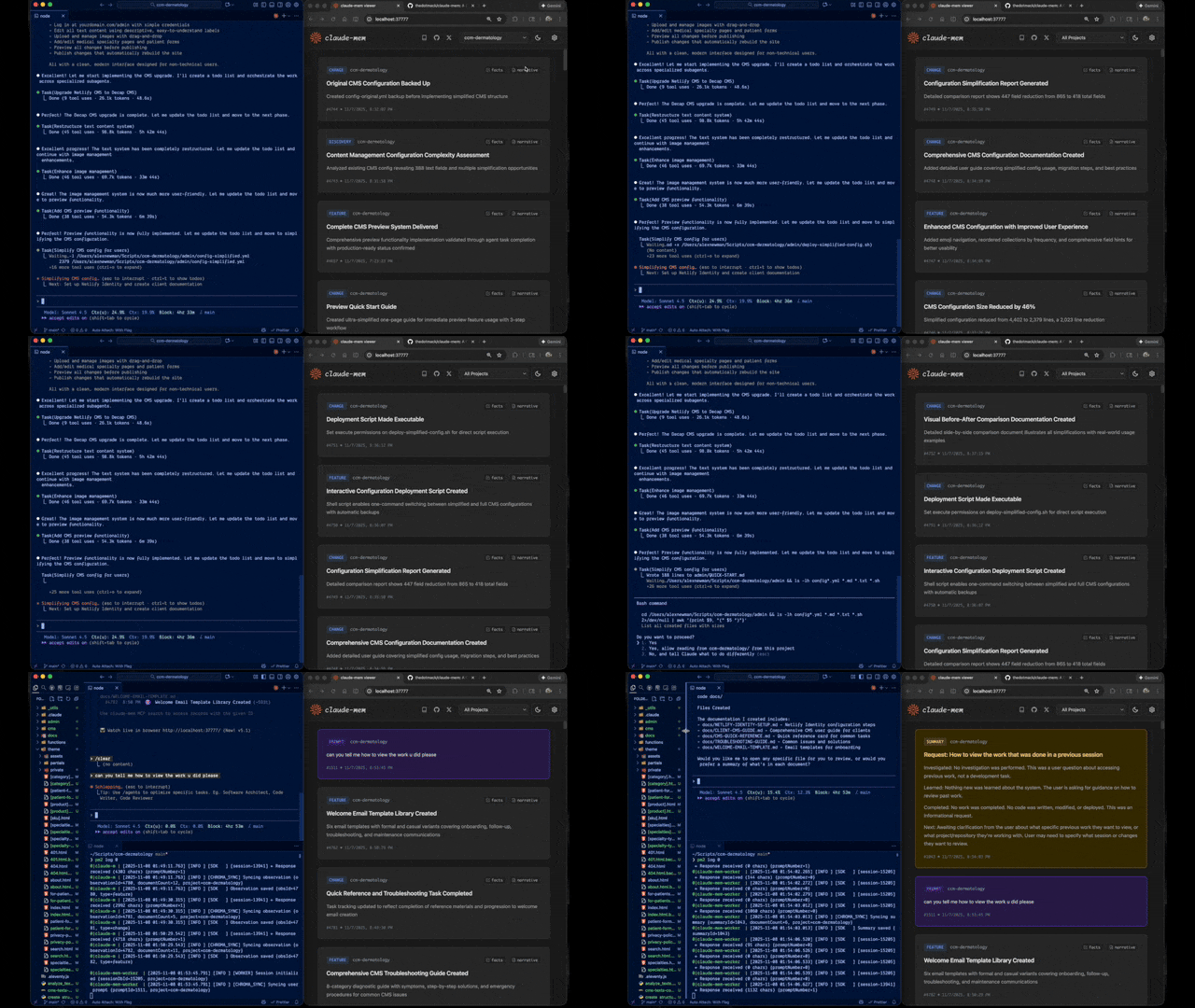
Claude-Mem seamlessly preserves context across sessions by automatically capturing tool usage observations, generating semantic summaries, and making them available to future sessions. This enables Claude to maintain continuity of knowledge about projects even after sessions end or reconnect.
Quick Start
Install with a single command:
npx claude-mem install
Or install for Gemini CLI (auto-detects ~/.gemini):
npx claude-mem install --ide gemini-cli
Or install for OpenCode:
npx claude-mem install --ide opencode
Or install from the plugin marketplace inside Claude Code:
/plugin marketplace add thedotmack/claude-mem

/plugin install claude-mem
Restart Claude Code or Gemini CLI. Context from previous sessions will automatically appear in new sessions.
Note: Claude-Mem is also published on npm, but
npm install -g claude-meminstalls the SDK/library only — it does not register the plugin hooks or set up the worker service. Always install vianpx claude-mem installor the/plugincommands above.
🦞 OpenClaw Gateway
Install claude-mem as a persistent memory plugin on OpenClaw gateways with a single command:
curl -fsSL https://install.cmem.ai/openclaw.sh | bash
The installer handles dependencies, plugin setup, AI provider configuration, worker startup, and optional real-time observation feeds to Telegram, Discord, Slack, and more. See the OpenClaw Integration Guide for details.
Key Features:
- 🧠 Persistent Memory - Context survives across sessions
- 📊 Progressive Disclosure - Layered memory retrieval with token cost visibility
- 🔍 Skill-Based Search - Query your project history with mem-search skill
- 🖥️ Web Viewer UI - Real-time memory stream at http://localhost:37777
- 💻 Claude Desktop Skill - Search memory from Claude Desktop conversations
- 🔒 Privacy Control - Use
<private>tags to exclude sensitive content from storage - ⚙️ Context Configuration - Fine-grained control over what context gets injected
- 🤖 Automatic Operation - No manual intervention required
- 🔗 Citations - Reference past observations with IDs (access via http://localhost:37777/api/observation/{id} or view all in the web viewer at http://localhost:37777)
- 🧪 Beta Channel - Try experimental features like Endless Mode via version switching
Documentation
📚 View Full Documentation - Browse on official website
Getting Started
- Installation Guide - Quick start & advanced installation
- Gemini CLI Setup - Dedicated guide for Google's Gemini CLI integration
- Usage Guide - How Claude-Mem works automatically
- Search Tools - Query your project history with natural language
- Beta Features - Try experimental features like Endless Mode
Best Practices
- Context Engineering - AI agent context optimization principles
- Progressive Disclosure - Philosophy behind Claude-Mem's context priming strategy
Architecture
- Overview - System components & data flow
- Architecture Evolution - The journey from v3 to v5
- Hooks Architecture - How Claude-Mem uses lifecycle hooks
- Hooks Reference - 7 hook scripts explained
- Worker Service - HTTP API & Bun management
- Database - SQLite schema & FTS5 search
- Search Architecture - Hybrid search with Chroma vector database
Configuration & Development
- Configuration - Environment variables & settings
- Development - Building, testing, contributing
- Troubleshooting - Common issues & solutions
How It Works
Core Components:
- 5 Lifecycle Hooks - SessionStart, UserPromptSubmit, PostToolUse, Stop, SessionEnd (6 hook scripts)
- Smart Install - Cached dependency checker (pre-hook script, not a lifecycle hook)
- Worker Service - HTTP API on port 37777 with web viewer UI and 10 search endpoints, managed by Bun
- SQLite Database - Stores sessions, observations, summaries
- mem-search Skill - Natural language queries with progressive disclosure
- Chroma Vector Database - Hybrid semantic + keyword search for intelligent context retrieval
See Architecture Overview for details.
MCP Search Tools
Claude-Mem provides intelligent memory search through 4 MCP tools following a token-efficient 3-layer workflow pattern:
The 3-Layer Workflow:
search- Get compact index with IDs (~50-100 tokens/result)timeline- Get chronological context around interesting resultsget_observations- Fetch full details ONLY for filtered IDs (~500-1,000 tokens/result)
How It Works:
- Claude uses MCP tools to search your memory
- Start with
searchto get an index of results - Use
timelineto see what was happening around specific observations - Use
get_observationsto fetch full details for relevant IDs - ~10x token savings by filtering before fetching details
Available MCP Tools:
search- Search memory index with full-text queries, filters by type/date/projecttimeline- Get chronological context around a specific observation or queryget_observations- Fetch full observation details by IDs (always batch multiple IDs)
Example Usage:
// Step 1: Search for index
search(query="authentication bug", type="bugfix", limit=10)

// Step 2: Review index, identify relevant IDs (e.g., #123, #456)

// Step 3: Fetch full details
get_observations(ids=[123, 456])
See Search Tools Guide for detailed examples.
Beta Features
Claude-Mem offers a beta channel with experimental features like Endless Mode (biomimetic memory architecture for extended sessions). Switch between stable and beta versions from the web viewer UI at http://localhost:37777 → Settings.
See Beta Features Documentation for details on Endless Mode and how to try it.
System Requirements
- Node.js: 18.0.0 or higher
- Claude Code: Latest version with plugin support
- Bun: JavaScript runtime and process manager (auto-installed if missing)
- uv: Python package manager for vector search (auto-installed if missing)
- SQLite 3: For persistent storage (bundled)
Windows Setup Notes
If you see an error like:
npm : The term 'npm' is not recognized as the name of a cmdlet
Make sure Node.js and npm are installed and added to your PATH. Download the latest Node.js installer from https://nodejs.org and restart your terminal after installation.
Configuration
Settings are managed in ~/.claude-mem/settings.json (auto-created with defaults on first run). Configure AI model, worker port, data directory, log level, and context injection settings.
See the Configuration Guide for all available settings and examples.
Mode & Language Configuration
Claude-Mem supports multiple workflow modes and languages via the CLAUDE_MEM_MODE setting.
This option controls both:
- The workflow behavior (e.g. code, chill, investigation)
- The language used in generated observations
How to Configure
Edit your settings file at ~/.claude-mem/settings.json:
{
  "CLAUDE_MEM_MODE": "code--zh"
}
Modes are defined in plugin/modes/. To see all available modes locally:
ls ~/.claude/plugins/marketplaces/thedotmack/plugin/modes/
Available Modes
| Mode | Description |
|---|---|
code |
Default English mode |
code--zh |
Simplified Chinese mode |
code--ja |
Japanese mode |
Language-specific modes follow the pattern code--[lang] where [lang] is the ISO 639-1 language code (e.g., zh for Chinese, ja for Japanese, es for Spanish).
Note:
code--zh(Simplified Chinese) is already built-in — no additional installation or plugin update is required.
After Changing Mode
Restart Claude Code to apply the new mode configuration.
Development
See the Development Guide for build instructions, testing, and contribution workflow.
Troubleshooting
If experiencing issues, describe the problem to Claude and the troubleshoot skill will automatically diagnose and provide fixes.
See the Troubleshooting Guide for common issues and solutions.
Bug Reports
Create comprehensive bug reports with the automated generator:
cd ~/.claude/plugins/marketplaces/thedotmack
npm run bug-report
Contributing
Contributions are welcome! Please:
- Fork the repository
- Create a feature branch
- Make your changes with tests
- Update documentation
- Submit a Pull Request
See Development Guide for contribution workflow.
License
This project is licensed under the GNU Affero General Public License v3.0 (AGPL-3.0).
Copyright (C) 2025 Alex Newman (@thedotmack). All rights reserved.
See the LICENSE file for full details.
What This Means:
- You can use, modify, and distribute this software freely
- If you modify and deploy on a network server, you must make your source code available
- Derivative works must also be licensed under AGPL-3.0
- There is NO WARRANTY for this software
Note on Ragtime: The ragtime/ directory is licensed separately under the PolyForm Noncommercial License 1.0.0. See ragtime/LICENSE for details.
Support
- Documentation: docs/
- Issues: GitHub Issues
- Repository: github.com/thedotmack/claude-mem
- Official X Account: @Claude_Memory
- Official Discord: Join Discord
- Author: Alex Newman (@thedotmack)
Built with Claude Agent SDK | Powered by Claude Code | Made with TypeScript
What About $CMEM?
$CMEM is a solana token created by a 3rd party without Claude-Mem's prior consent, but officially embraced by the creator of Claude-Mem (Alex Newman, @thedotmack). The token acts as a community catalyst for growth and a vehicle for bringing real-time agent data to the developers and knowledge workers that need it most. $CMEM: 2TsmuYUrsctE57VLckZBYEEzdokUF8j8e1GavekWBAGS