 Alex Newman
ad8ac7970d
Alex Newman
ad8ac7970d
* fix: distinguish connection errors from collection-not-found in ChromaSync

Previously, ensureCollection() caught ALL errors from chroma_get_collection_info
and assumed they meant "collection doesn't exist". This caused connection errors
like "Not connected" to trigger unnecessary collection creation attempts.

Now connection-related errors are re-thrown immediately instead of being
misinterpreted as missing collections.

🤖 Generated with [Claude Code](https://claude.com/claude-code)

Co-Authored-By: Claude Opus 4.5 <noreply@anthropic.com>

* fix: improve error handling for Chroma connection and collection creation

* fix: remove dead last_user_message from summarize flow

The last_user_message field was extracted from transcripts but never used.
In Claude Code transcripts, "user" type messages are mostly tool_results,
not actual user input. The user's original request is already stored in
user_prompts table.

This removes the false warning "Missing last_user_message when queueing
summary" which was complaining about missing data that didn't exist and
wasn't needed.

Changes:
- summary-hook: Only extract last_assistant_message
- SessionRoutes: Remove last_user_message from request body handling
- SessionManager.queueSummarize: Remove lastUserMessage parameter
- PendingMessage interface: Remove last_user_message field
- SDKSession interface: Remove last_user_message field
- All agents: Remove last_user_message from buildSummaryPrompt calls

🤖 Generated with [Claude Code](https://claude.com/claude-code)

Co-Authored-By: Claude Opus 4.5 <noreply@anthropic.com>

* build artifacts for plugin

* Enhance error handling across multiple services

- Improved logging in `BranchManager.ts` to capture recovery checkout failures.
- Updated `PaginationHelper.ts` to log when file paths are plain strings instead of valid JSON.
- Enhanced error logging in `SDKAgent.ts` for Claude executable detection failures.
- Added logging for plain string handling in `SearchManager.ts` for files read and edited.
- Improved logging in `paths.ts` for git root detection failures.
- Enhanced JSON parsing error handling in `timeline-formatting.ts` with previews of failed inputs.
- Updated `transcript-parser.ts` to log summary of parse errors after processing transcript lines.
- Established a baseline for error handling practices in `error-handling-baseline.txt`.
- Documented error handling anti-pattern rules in `CLAUDE.md` to prevent silent failures and improve code quality.

* Add error handling anti-pattern detection script and guidelines

- Introduced `detect-error-handling-antipatterns.ts` to identify common error handling issues in TypeScript code.
- Created comprehensive documentation in `CLAUDE.md` outlining forbidden patterns, allowed patterns, and critical path protection rules.
- Implemented checks for empty catch blocks, logging practices, and try-catch block sizes to prevent silent failures and improve debugging.
- Established a reporting mechanism to summarize detected anti-patterns with severity levels.

* feat: add console filter bar and log line parsing with filtering capabilities

- Introduced a console filter bar with options to filter logs by level and component.
- Implemented parsing of log lines to extract structured data including timestamp, level, component, and correlation ID.
- Added functionality to toggle individual and all levels/components for filtering.
- Enhanced log line rendering with color coding based on log level and special message types.
- Improved responsiveness of the filter bar for smaller screens.

---------

Co-authored-by: Claude Opus 4.5 <noreply@anthropic.com>


🇨🇳 中文 • 🇯🇵 日本語 • 🇧🇷 Português • 🇰🇷 한국어 • 🇪🇸 Español • 🇩🇪 Deutsch • 🇫🇷 Français 🇮🇱 עברית • 🇸🇦 العربية • 🇷🇺 Русский • 🇵🇱 Polski • 🇨🇿 Čeština • 🇳🇱 Nederlands • 🇹🇷 Türkçe • 🇺🇦 Українська • 🇻🇳 Tiếng Việt • 🇮🇩 Indonesia • 🇹🇭 ไทย • 🇮🇳 हिन्दी • 🇧🇩 বাংলা • 🇷🇴 Română • 🇸🇪 Svenska • 🇮🇹 Italiano • 🇬🇷 Ελληνικά • 🇭🇺 Magyar • 🇫🇮 Suomi • 🇩🇰 Dansk • 🇳🇴 Norsk
Persistent memory compression system built for Claude Code.





Quick Start • How It Works • Search Tools • Documentation • Configuration • Troubleshooting • License
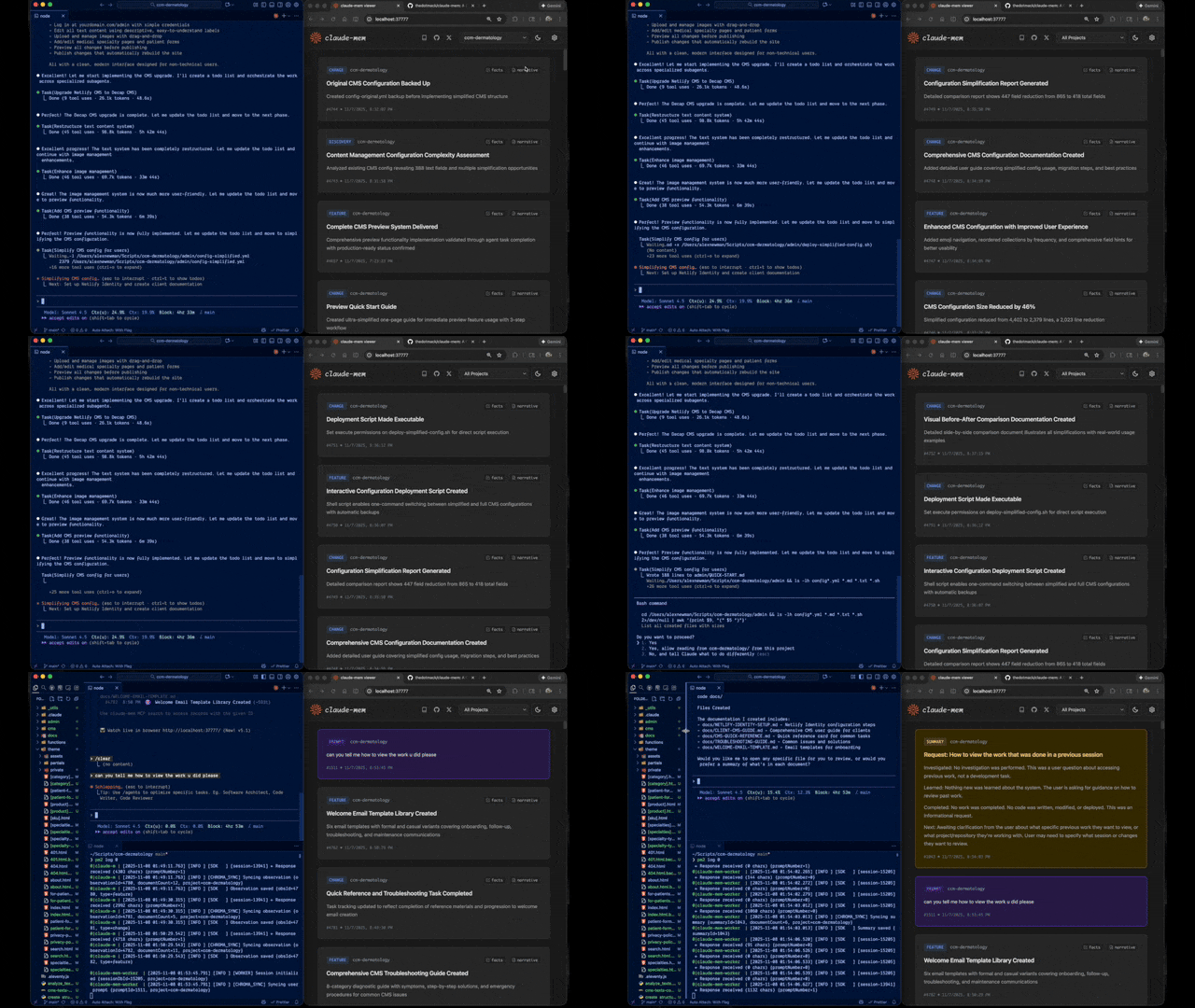
Claude-Mem seamlessly preserves context across sessions by automatically capturing tool usage observations, generating semantic summaries, and making them available to future sessions. This enables Claude to maintain continuity of knowledge about projects even after sessions end or reconnect.
Quick Start
Start a new Claude Code session in the terminal and enter the following commands:
> /plugin marketplace add thedotmack/claude-mem

> /plugin install claude-mem
Restart Claude Code. Context from previous sessions will automatically appear in new sessions.
Key Features:
- 🧠 Persistent Memory - Context survives across sessions
- 📊 Progressive Disclosure - Layered memory retrieval with token cost visibility
- 🔍 Skill-Based Search - Query your project history with mem-search skill
- 🖥️ Web Viewer UI - Real-time memory stream at http://localhost:37777
- 💻 Claude Desktop Skill - Search memory from Claude Desktop conversations
- 🔒 Privacy Control - Use
<private>tags to exclude sensitive content from storage - ⚙️ Context Configuration - Fine-grained control over what context gets injected
- 🤖 Automatic Operation - No manual intervention required
- 🔗 Citations - Reference past observations with IDs (access via http://localhost:37777/api/observation/{id} or view all in the web viewer at http://localhost:37777)
- 🧪 Beta Channel - Try experimental features like Endless Mode via version switching
Documentation
📚 View Full Documentation - Browse markdown docs on GitHub
Getting Started
- Installation Guide - Quick start & advanced installation
- Usage Guide - How Claude-Mem works automatically
- Search Tools - Query your project history with natural language
- Beta Features - Try experimental features like Endless Mode
Best Practices
- Context Engineering - AI agent context optimization principles
- Progressive Disclosure - Philosophy behind Claude-Mem's context priming strategy
Architecture
- Overview - System components & data flow
- Architecture Evolution - The journey from v3 to v5
- Hooks Architecture - How Claude-Mem uses lifecycle hooks
- Hooks Reference - 7 hook scripts explained
- Worker Service - HTTP API & Bun management
- Database - SQLite schema & FTS5 search
- Search Architecture - Hybrid search with Chroma vector database
Configuration & Development
- Configuration - Environment variables & settings
- Development - Building, testing, contributing
- Troubleshooting - Common issues & solutions
How It Works
Core Components:
- 5 Lifecycle Hooks - SessionStart, UserPromptSubmit, PostToolUse, Stop, SessionEnd (6 hook scripts)
- Smart Install - Cached dependency checker (pre-hook script, not a lifecycle hook)
- Worker Service - HTTP API on port 37777 with web viewer UI and 10 search endpoints, managed by Bun
- SQLite Database - Stores sessions, observations, summaries
- mem-search Skill - Natural language queries with progressive disclosure
- Chroma Vector Database - Hybrid semantic + keyword search for intelligent context retrieval
See Architecture Overview for details.
MCP Search Tools
Claude-Mem provides intelligent memory search through 4 MCP tools following a token-efficient 3-layer workflow pattern:
The 3-Layer Workflow:
search- Get compact index with IDs (~50-100 tokens/result)timeline- Get chronological context around interesting resultsget_observations- Fetch full details ONLY for filtered IDs (~500-1,000 tokens/result)
How It Works:
- Claude uses MCP tools to search your memory
- Start with
searchto get an index of results - Use
timelineto see what was happening around specific observations - Use
get_observationsto fetch full details for relevant IDs - ~10x token savings by filtering before fetching details
Available MCP Tools:
search- Search memory index with full-text queries, filters by type/date/projecttimeline- Get chronological context around a specific observation or queryget_observations- Fetch full observation details by IDs (always batch multiple IDs)__IMPORTANT- Workflow documentation (always visible to Claude)
Example Usage:
// Step 1: Search for index
search(query="authentication bug", type="bugfix", limit=10)

// Step 2: Review index, identify relevant IDs (e.g., #123, #456)

// Step 3: Fetch full details
get_observations(ids=[123, 456])
See Search Tools Guide for detailed examples.
Beta Features
Claude-Mem offers a beta channel with experimental features like Endless Mode (biomimetic memory architecture for extended sessions). Switch between stable and beta versions from the web viewer UI at http://localhost:37777 → Settings.
See Beta Features Documentation for details on Endless Mode and how to try it.
System Requirements
- Node.js: 18.0.0 or higher
- Claude Code: Latest version with plugin support
- Bun: JavaScript runtime and process manager (auto-installed if missing)
- uv: Python package manager for vector search (auto-installed if missing)
- SQLite 3: For persistent storage (bundled)
Configuration
Settings are managed in ~/.claude-mem/settings.json (auto-created with defaults on first run). Configure AI model, worker port, data directory, log level, and context injection settings.
See the Configuration Guide for all available settings and examples.
Development
See the Development Guide for build instructions, testing, and contribution workflow.
Troubleshooting
If experiencing issues, describe the problem to Claude and the troubleshoot skill will automatically diagnose and provide fixes.
See the Troubleshooting Guide for common issues and solutions.
Bug Reports
Create comprehensive bug reports with the automated generator:
cd ~/.claude/plugins/marketplaces/thedotmack
npm run bug-report
Contributing
Contributions are welcome! Please:
- Fork the repository
- Create a feature branch
- Make your changes with tests
- Update documentation
- Submit a Pull Request
See Development Guide for contribution workflow.
License
This project is licensed under the GNU Affero General Public License v3.0 (AGPL-3.0).
Copyright (C) 2025 Alex Newman (@thedotmack). All rights reserved.
See the LICENSE file for full details.
What This Means:
- You can use, modify, and distribute this software freely
- If you modify and deploy on a network server, you must make your source code available
- Derivative works must also be licensed under AGPL-3.0
- There is NO WARRANTY for this software
Note on Ragtime: The ragtime/ directory is licensed separately under the PolyForm Noncommercial License 1.0.0. See ragtime/LICENSE for details.
Support
- Documentation: docs/
- Issues: GitHub Issues
- Repository: github.com/thedotmack/claude-mem
- Author: Alex Newman (@thedotmack)
Built with Claude Agent SDK | Powered by Claude Code | Made with TypeScript