 Alex Newman
bff10d49c9
Alex Newman
bff10d49c9
* chore: bump version to 7.3.6 in package.json

* Enhance worker readiness checks and MCP connection handling

- Updated health check endpoint to /api/readiness for better initialization tracking.
- Increased timeout for health checks and worker startup retries, especially for Windows.
- Added initialization flags to track MCP readiness and overall worker initialization status.
- Implemented a timeout guard for MCP connection to prevent hanging.
- Adjusted logging to reflect readiness state and errors more accurately.

* fix(windows): use Bun PATH detection in worker wrapper

Phase 2/8: Fix Bun PATH Detection in Worker Wrapper

- Import getBunPath() in worker-wrapper.ts for Bun detection
- Add Bun path resolution before spawning inner worker process
- Update spawn call to use detected Bun path instead of process.execPath
- Add logging to bun-path.ts when PATH detection succeeds
- Add logging when fallback paths are used
- Add Windows-specific validation for .exe extension
- Log warning with searched paths when Bun not found
- Fail fast with clear error message if Bun cannot be detected

This ensures worker-wrapper uses the correct Bun executable on Windows
even when Bun is not in PATH, fixing issue #371 where users reported
"Bun not in PATH" errors despite Bun being installed.

Addresses: #371

🤖 Generated with [Claude Code](https://claude.com/claude-code)

Co-Authored-By: Claude Sonnet 4.5 <noreply@anthropic.com>

* fix(windows): standardize child process spawning with windowsHide

Phase 3/8: Standardize Child Process Spawning (Windows)

Changes:
- Added windowsHide flag to ChromaSync MCP subprocess spawn
- Added Windows-specific process tracking (childPid) in ChromaSync
- Force-kill subprocess on Windows before closing transport to prevent zombie processes
- Updated cleanupOrphanedProcesses() to support Windows using PowerShell Get-CimInstance
- Use taskkill /T /F for proper process tree cleanup on Windows
- Audited BranchManager - confirmed windowsHide already present on all spawn calls

This prevents PowerShell windows from appearing during ChromaSync operations
and ensures proper cleanup of subprocess trees on Windows.

Addresses: #363, #361, #367, #371, #373, #374

🤖 Generated with [Claude Code](https://claude.com/claude-code)

Co-Authored-By: Claude Sonnet 4.5 <noreply@anthropic.com>

* fix(windows): enhance socket cleanup with recursive process tree management

Phase 4/8: Enhanced Socket Cleanup & Process Tree Management

Changes:
- Added recursive process tree enumeration in worker-wrapper.ts for Windows
- Enhanced killInner() to enumerate all descendants before killing
- Added fallback individual process kill if taskkill /T fails
- Added 10s timeout to ChromaSync.close() in DatabaseManager to prevent hangs
- Force nullify ChromaSync even on close failure to prevent resource leaks
- Improved logging to show full process tree during cleanup

This ensures complete cleanup of all child processes (ChromaSync MCP subprocess,
Python processes, etc.) preventing socket leaks and CLOSE_WAIT states.

Addresses: #363, #361

* fix(windows): consolidate project name extraction with drive root handling

Phase 5/8: Project Name Extraction Consolidation

- Created shared getProjectName() utility in src/utils/project-name.ts
- Handles edge case: drive roots (C:\, J:\) now return "drive-X" format
- Handles edge case: null/undefined/empty cwd now returns "unknown-project"
- Fixed missing null check bug in new-hook.ts
- Replaced duplicated path.basename(cwd) logic in:
  - src/hooks/context-hook.ts
  - src/hooks/new-hook.ts
  - src/services/context-generator.ts

Addresses: #374

🤖 Generated with [Claude Code](https://claude.com/claude-code)

Co-Authored-By: Claude Sonnet 4.5 <noreply@anthropic.com>

* fix(windows): increase timeouts and improve error messages

Phase 6/8: Increase Timeouts & Improve Error Messages

- Enhanced logger.ts with platform prefix (WIN32/DARWIN) and PID in all logs
- Added comprehensive Windows troubleshooting to ProcessManager error messages
- Enhanced Bun detection error message with Windows-specific troubleshooting
- All error messages now include GitHub issue numbers and docs links
- Windows timeout already increased to 2.0x multiplier in previous phases

Changes:
- src/utils/logger.ts: Added platform prefix and PID to all log output
- src/services/process/ProcessManager.ts: Enhanced error messages with troubleshooting steps
- src/utils/bun-path.ts: Added Windows-specific Bun detection error guidance

Addresses: #363, #361, #367, #371, #373, #374

🤖 Generated with [Claude Code](https://claude.com/claude-code)

Co-Authored-By: Claude Sonnet 4.5 <noreply@anthropic.com>

* fix(windows): add comprehensive Windows CI testing

Phase 7/8: Add Windows CI Testing

- Create automated Windows testing workflow
- Test worker startup/shutdown cycles
- Verify Bun PATH detection on Windows
- Test rapid restart scenarios
- Validate port cleanup after shutdown
- Check for zombie processes
- Run on all pushes and PRs to main/fix/feature branches

Addresses: #363, #361, #367, #371, #373, #374

🤖 Generated with [Claude Code](https://claude.com/claude-code)

Co-Authored-By: Claude Sonnet 4.5 <noreply@anthropic.com>

* ci(windows): remove build steps from Windows CI workflow

Build files are already included in the plugin folder, so npm install
and npm run build are unnecessary steps in the CI workflow.

🤖 Generated with [Claude Code](https://claude.com/claude-code)

Co-Authored-By: Claude Sonnet 4.5 <noreply@anthropic.com>

* revert: remove Windows CI workflow

The CI workflow cannot be properly implemented in the current architecture
due to limitations in testing the worker service in CI environments.

🤖 Generated with [Claude Code](https://claude.com/claude-code)

Co-Authored-By: Claude Sonnet 4.5 <noreply@anthropic.com>

* security: add PID validation and improve ChromaSync timeout handling

Address critical security and reliability issues identified in PR review:

**Security Fixes:**
- Add PID validation before all PowerShell/taskkill command execution
- Validate PIDs are positive integers to prevent command injection
- Apply validation in worker-wrapper.ts, worker-service.ts, and ChromaSync.ts

**Reliability Improvements:**
- Add timeout handling to ChromaSync client.close() (10s timeout)
- Add timeout handling to ChromaSync transport.close() (5s timeout)
- Implement force-kill fallback when ChromaSync close operations timeout
- Prevents hanging on shutdown and ensures subprocess cleanup

**Implementation Details:**
- PID validation checks: Number.isInteger(pid) && pid > 0
- Applied before all execSync taskkill calls on Windows
- Applied in process enumeration (Get-CimInstance) PowerShell commands
- ChromaSync.close() uses Promise.race for timeout enforcement
- Graceful degradation with force-kill fallback on timeout

Addresses PR #378 review feedback

🤖 Generated with [Claude Code](https://claude.com/claude-code)

Co-Authored-By: Claude Sonnet 4.5 <noreply@anthropic.com>

* Refactor ChromaSync client and transport closure logic

- Removed timeout handling for closing the Chroma client and transport.
- Simplified error logging for client and transport closure.
- Ensured subprocess cleanup logic is more straightforward.

* fix(worker): streamline Windows process management and cleanup

* revert: remove speculative LLM-generated complexity

Reverts defensive code that was added speculatively without user-reported issues:

- ChromaSync: Remove PID extraction and explicit taskkill (wrapper handles this)
- worker-wrapper: Restore simple taskkill /T /F (validated in v7.3.5)
- DatabaseManager: Remove Promise.race timeout wrapper
- hook-constants: Restore original timeout values
- logger: Remove platform/PID additions to every log line
- bun-path: Remove speculative logging

Keeps only changes that map to actual GitHub issues:
- #374: Drive root project name fix (getProjectName utility)
- #363: Readiness endpoint and Windows orphan cleanup
- #367: windowsHide on ChromaSync transport

🤖 Generated with [Claude Code](https://claude.com/claude-code)

Co-Authored-By: Claude Opus 4.5 <noreply@anthropic.com>

---------

Co-authored-by: Claude Sonnet 4.5 <noreply@anthropic.com>


Persistent memory compression system built for Claude Code.





Quick Start • How It Works • Search Tools • Documentation • Configuration • Troubleshooting • License
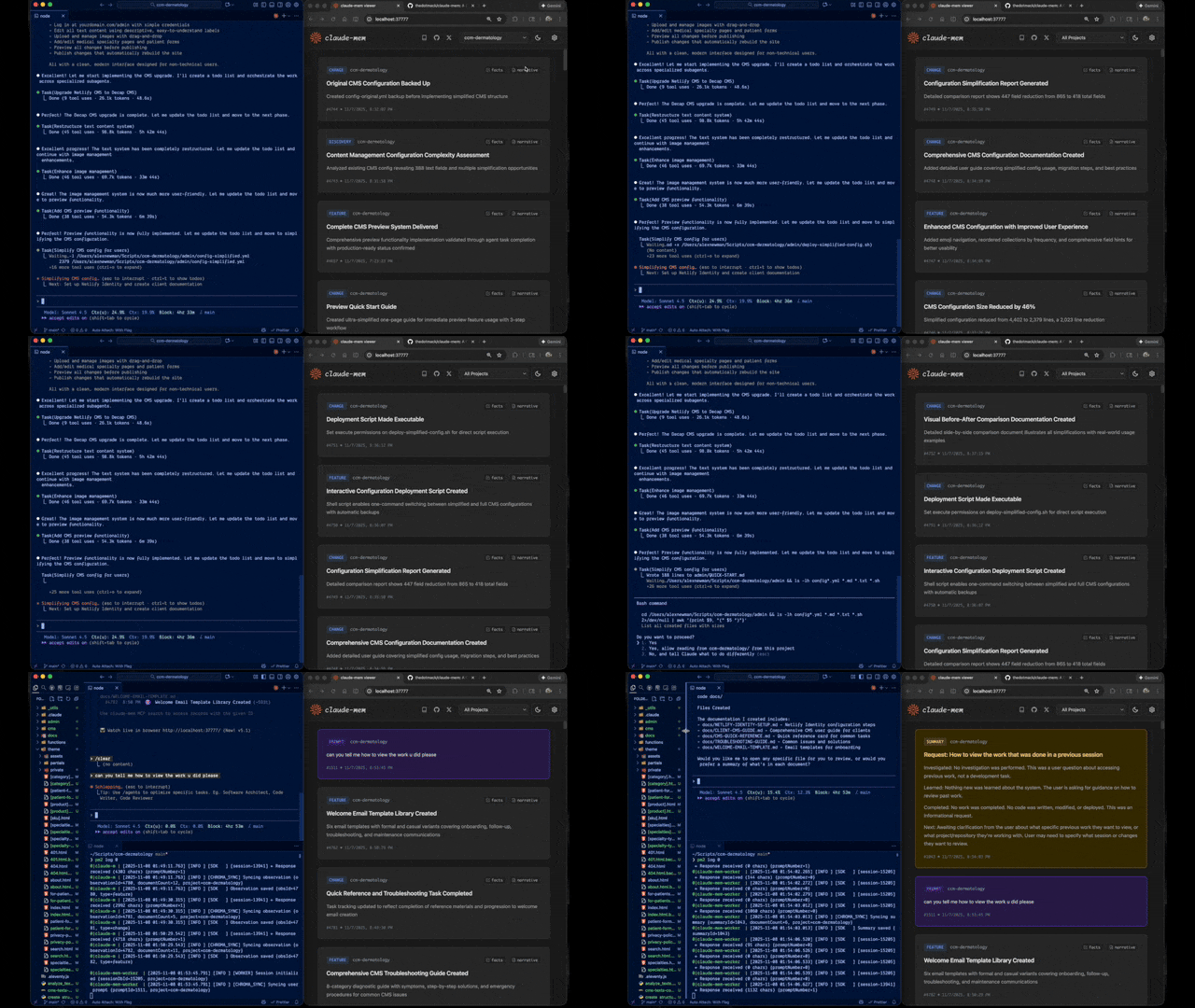
Claude-Mem seamlessly preserves context across sessions by automatically capturing tool usage observations, generating semantic summaries, and making them available to future sessions. This enables Claude to maintain continuity of knowledge about projects even after sessions end or reconnect.
Quick Start
Start a new Claude Code session in the terminal and enter the following commands:
> /plugin marketplace add thedotmack/claude-mem

> /plugin install claude-mem
Restart Claude Code. Context from previous sessions will automatically appear in new sessions.
Key Features:
- 🧠 Persistent Memory - Context survives across sessions
- 📊 Progressive Disclosure - Layered memory retrieval with token cost visibility
- 🔍 Skill-Based Search - Query your project history with mem-search skill
- 🖥️ Web Viewer UI - Real-time memory stream at http://localhost:37777
- 💻 Claude Desktop Skill - Search memory from Claude Desktop conversations
- 🔒 Privacy Control - Use
<private>tags to exclude sensitive content from storage - ⚙️ Context Configuration - Fine-grained control over what context gets injected
- 🤖 Automatic Operation - No manual intervention required
- 🔗 Citations - Reference past observations with IDs (access via http://localhost:37777/api/observation/{id} or view all in the web viewer at http://localhost:37777)
- 🧪 Beta Channel - Try experimental features like Endless Mode via version switching
Documentation
📚 View Full Documentation - Browse markdown docs on GitHub
💻 Local Preview: Run Mintlify docs locally:
cd docs/public
npx mintlify dev
Getting Started
- Installation Guide - Quick start & advanced installation
- Usage Guide - How Claude-Mem works automatically
- Search Tools - Query your project history with natural language
- Beta Features - Try experimental features like Endless Mode
Best Practices
- Context Engineering - AI agent context optimization principles
- Progressive Disclosure - Philosophy behind Claude-Mem's context priming strategy
Architecture
- Overview - System components & data flow
- Architecture Evolution - The journey from v3 to v5
- Hooks Architecture - How Claude-Mem uses lifecycle hooks
- Hooks Reference - 7 hook scripts explained
- Worker Service - HTTP API & Bun management
- Database - SQLite schema & FTS5 search
- Search Architecture - Hybrid search with Chroma vector database
Configuration & Development
- Configuration - Environment variables & settings
- Development - Building, testing, contributing
- Troubleshooting - Common issues & solutions
How It Works
┌─────────────────────────────────────────────────────────────┐
│ Session Start → Inject recent observations as context      │
└─────────────────────────────────────────────────────────────┘
                            ↓
┌─────────────────────────────────────────────────────────────┐
│ User Prompts → Create session, save user prompts           │
└─────────────────────────────────────────────────────────────┘
                            ↓
┌─────────────────────────────────────────────────────────────┐
│ Tool Executions → Capture observations (Read, Write, etc.)  │
└─────────────────────────────────────────────────────────────┘
                            ↓
┌─────────────────────────────────────────────────────────────┐
│ Worker Processes → Extract learnings via Claude Agent SDK   │
└─────────────────────────────────────────────────────────────┘
                            ↓
┌─────────────────────────────────────────────────────────────┐
│ Session Ends → Generate summary, ready for next session     │
└─────────────────────────────────────────────────────────────┘
Core Components:
- 5 Lifecycle Hooks - SessionStart, UserPromptSubmit, PostToolUse, Stop, SessionEnd (6 hook scripts)
- Smart Install - Cached dependency checker (pre-hook script, not a lifecycle hook)
- Worker Service - HTTP API on port 37777 with web viewer UI and 10 search endpoints, managed by Bun
- SQLite Database - Stores sessions, observations, summaries with FTS5 full-text search
- mem-search Skill - Natural language queries with progressive disclosure
- Chroma Vector Database - Hybrid semantic + keyword search for intelligent context retrieval
See Architecture Overview for details.
mem-search Skill
Claude-Mem provides intelligent search through the mem-search skill that auto-invokes when you ask about past work:
How It Works:
- Just ask naturally: "What did we do last session?" or "Did we fix this bug before?"
- Claude automatically invokes the mem-search skill to find relevant context
Available Search Operations:
- Search Observations - Full-text search across observations
- Search Sessions - Full-text search across session summaries
- Search Prompts - Search raw user requests
- By Concept - Find by concept tags (discovery, problem-solution, pattern, etc.)
- By File - Find observations referencing specific files
- By Type - Find by type (decision, bugfix, feature, refactor, discovery, change)
- Recent Context - Get recent session context for a project
- Timeline - Get unified timeline of context around a specific point in time
- Timeline by Query - Search for observations and get timeline context around best match
- API Help - Get search API documentation
Example Natural Language Queries:
"What bugs did we fix last session?"
"How did we implement authentication?"
"What changes were made to worker-service.ts?"
"Show me recent work on this project"
"What was happening when we added the viewer UI?"
See Search Tools Guide for detailed examples.
Beta Features & Endless Mode
Note
: Endless Mode is an experimental feature in the beta branch only. It is not included in the stable release you install via the marketplace. You must manually switch to the beta channel to try it, and it comes with significant caveats (see below).
Claude-Mem offers a beta channel with experimental features. Switch between stable and beta versions directly from the web viewer UI.
How to Try Beta
- Open http://localhost:37777
- Click Settings (gear icon)
- In Version Channel, click "Try Beta (Endless Mode)"
- Wait for the worker to restart
Your memory data is preserved when switching versions.
Endless Mode (Beta)
The flagship beta feature is Endless Mode - a biomimetic memory architecture that dramatically extends session length:
The Problem: Standard Claude Code sessions hit context limits after ~50 tool uses. Each tool adds 1-10k+ tokens, and Claude re-synthesizes all previous outputs on every response (O(N²) complexity).
The Solution: Endless Mode compresses tool outputs into ~500-token observations and transforms the transcript in real-time:
Working Memory (Context):     Compressed observations (~500 tokens each)
Archive Memory (Disk):        Full tool outputs preserved for recall
Projected Results (based on theoretical modeling, not production measurements):
- Significant token reduction in context window
- More tool uses before context exhaustion
- Linear O(N) scaling instead of quadratic O(N²)
- Full transcripts preserved for perfect recall
Important Caveats:
- Not in stable release - You must switch to beta branch to use this feature
- Still in development - May have bugs, breaking changes, or incomplete functionality
- Slower than standard mode - Blocking observation generation adds latency to each tool use
- Theoretical projections - The efficiency claims above are based on simulations, not real-world production data
See Beta Features Documentation for details.
What's New
v6.4.9 - Context Configuration Settings:
- 11 new settings for fine-grained control over context injection
- Configure token economics display, observation filtering by type/concept
- Control number of observations and which fields to display
v6.4.0 - Dual-Tag Privacy System:
<private>tags for user-controlled privacy - wrap sensitive content to exclude from storage- System-level
<claude-mem-context>tags prevent recursive observation storage - Edge processing ensures private content never reaches database
v6.3.0 - Version Channel:
- Switch between stable and beta versions from the web viewer UI
- Try experimental features like Endless Mode without manual git operations
Previous Highlights:
- v6.0.0: Major session management & transcript processing improvements
- v5.5.0: mem-search skill enhancement with 100% effectiveness rate
- v5.4.0: Skill-based search architecture (~2,250 tokens saved per session)
- v5.1.0: Web-based viewer UI with real-time updates
- v5.0.0: Hybrid search with Chroma vector database
See CHANGELOG.md for complete version history.
System Requirements
- Node.js: 18.0.0 or higher
- Claude Code: Latest version with plugin support
- Bun: JavaScript runtime and process manager (auto-installed if missing)
- uv: Python package manager for vector search (auto-installed if missing)
- SQLite 3: For persistent storage (bundled)
Key Benefits
Progressive Disclosure Context
- Layered memory retrieval mirrors human memory patterns
- Layer 1 (Index): See what observations exist with token costs at session start
- Layer 2 (Details): Fetch full narratives on-demand via MCP search
- Layer 3 (Perfect Recall): Access source code and original transcripts
- Smart decision-making: Token counts help Claude choose between fetching details or reading code
- Type indicators: Visual cues (🔴 critical, 🟤 decision, 🔵 informational) highlight observation importance
Automatic Memory
- Context automatically injected when Claude starts
- No manual commands or configuration needed
- Works transparently in the background
Full History Search
- Search across all sessions and observations
- FTS5 full-text search for fast queries
- Citations link back to specific observations
Structured Observations
- AI-powered extraction of learnings
- Categorized by type (decision, bugfix, feature, etc.)
- Tagged with concepts and file references
Multi-Prompt Sessions
- Sessions span multiple user prompts
- Context preserved across
/clearcommands - Track entire conversation threads
Configuration
Settings are managed in ~/.claude-mem/settings.json. The file is auto-created with defaults on first run.
Available Settings:
| Setting | Default | Description |
|---|---|---|
CLAUDE_MEM_MODEL |
claude-sonnet-4-5 |
AI model for observations |
CLAUDE_MEM_WORKER_PORT |
37777 |
Worker service port |
CLAUDE_MEM_WORKER_HOST |
127.0.0.1 |
Worker bind address (use 0.0.0.0 for remote access) |
CLAUDE_MEM_DATA_DIR |
~/.claude-mem |
Data directory location |
CLAUDE_MEM_LOG_LEVEL |
INFO |
Log verbosity (DEBUG, INFO, WARN, ERROR, SILENT) |
CLAUDE_MEM_PYTHON_VERSION |
3.13 |
Python version for chroma-mcp |
CLAUDE_CODE_PATH |
(auto-detect) | Path to Claude executable |
CLAUDE_MEM_CONTEXT_OBSERVATIONS |
50 |
Number of observations to inject at SessionStart |
Settings Management:
# Edit settings via CLI helper
./claude-mem-settings.sh

# Or edit directly
nano ~/.claude-mem/settings.json

# View current settings
curl http://localhost:37777/api/settings
Settings File Format:
{
  "CLAUDE_MEM_MODEL": "claude-sonnet-4-5",
  "CLAUDE_MEM_WORKER_PORT": "37777",
  "CLAUDE_MEM_CONTEXT_OBSERVATIONS": "50"
}
See Configuration Guide for details.
Development
# Clone and build
git clone https://github.com/thedotmack/claude-mem.git
cd claude-mem
npm install
npm run build

# Run tests
npm test

# Start worker
npm run worker:start

# View logs
npm run worker:logs
See Development Guide for detailed instructions.
Troubleshooting
Quick Diagnostic:
If you're experiencing issues, describe the problem to Claude and the troubleshoot skill will automatically activate to diagnose and provide fixes.
Common Issues:
- Worker not starting →
npm run worker:restart - No context appearing →
npm run test:context - Database issues →
sqlite3 ~/.claude-mem/claude-mem.db "PRAGMA integrity_check;" - Search not working → Check FTS5 tables exist
See Troubleshooting Guide for complete solutions.
Windows Known Issues
Console Window Visibility: On Windows, a console window may briefly appear when the worker service starts. This is a cosmetic issue that we're working to resolve. We've prioritized stability by removing a workaround that was causing libuv crashes. The window does not affect functionality and will be addressed in a future release when the MCP SDK provides proper window hiding support.
Bug Reports
Automated Bug Report Generator - Create comprehensive bug reports with one command:
# From the plugin directory
cd ~/.claude/plugins/marketplaces/thedotmack
npm run bug-report
The bug report tool will:
- 🌎 Auto-translate - Write in ANY language, automatically translates to English
- 📊 Collect diagnostics - Gathers versions, platform info, worker status, logs, and configuration
- 📝 Interactive prompts - Guides you through describing the issue with multiline support
- 🤖 AI formatting - Uses Claude Agent SDK to generate professional GitHub issues
- 🔒 Privacy-safe - Auto-sanitizes paths, optional
--no-logsflag - 🌐 Auto-submit - Opens GitHub with pre-filled title and body
Plugin Directory Paths:
- macOS/Linux:
~/.claude/plugins/marketplaces/thedotmack - Windows:
%USERPROFILE%\.claude\plugins\marketplaces\thedotmack
Options:
npm run bug-report --no-logs    # Skip logs for privacy
npm run bug-report --verbose    # Show all diagnostics
npm run bug-report --help       # Show help
Contributing
Contributions are welcome! Please:
- Fork the repository
- Create a feature branch
- Make your changes with tests
- Update documentation
- Submit a Pull Request
See Development Guide for contribution workflow.
License
This project is licensed under the GNU Affero General Public License v3.0 (AGPL-3.0).
Copyright (C) 2025 Alex Newman (@thedotmack). All rights reserved.
See the LICENSE file for full details.
What This Means:
- You can use, modify, and distribute this software freely
- If you modify and deploy on a network server, you must make your source code available
- Derivative works must also be licensed under AGPL-3.0
- There is NO WARRANTY for this software
Support
- Documentation: docs/
- Issues: GitHub Issues
- Repository: github.com/thedotmack/claude-mem
- Author: Alex Newman (@thedotmack)
Built with Claude Agent SDK | Powered by Claude Code | Made with TypeScript