 Alex Newman
36b0929fae
Alex Newman
36b0929fae
* Add server beta runtime foundation

* Address server beta review findings

* Resolve server beta review comments

* Tighten server beta review follow-ups

* Harden server beta auth and search

* Avoid unnecessary FTS rebuilds

* Block scoped keys from creating projects

* Release BullMQ claims best effort on close

* Address server beta review blockers

* Reset BullMQ claims best effort

* Add Postgres observation storage foundation

* feat(server-beta): add independent runtime service

Introduce src/server/runtime/ as a self-contained server-beta runtime
that owns its lifecycle, Postgres bootstrap, and HTTP boundary without
depending on WorkerService.

ServerBetaService wraps the existing Server class, exposes
/healthz and /v1/info with runtime="server-beta", and persists state
to dedicated paths (.server-beta.pid|.port|.runtime.json). The four
boundary managers (queue, generation worker, provider registry, event
broadcaster) are intentionally disabled in this phase and report their
status through /v1/info; later phases activate them.

Adds plans/2026-05-07-finish-bullmq-branch-ship-plan.md to track the
remaining work for this branch.

Phase 2 of plans/2026-05-07-server-beta-independent-bullmq-observation-runtime.md.

Co-Authored-By: Claude Opus 4.7 (1M context) <noreply@anthropic.com>

* feat(server-beta): route CLI lifecycle and bundle separate runtime

scripts/build-hooks.js now produces plugin/scripts/server-beta-service.cjs
as a separate Node CJS bundle, alongside the existing worker-service
bundle. The server-beta runtime is now installable independently.

src/npx-cli/commands/server.ts routes start|stop|restart|status to the
server-beta lifecycle instead of the legacy worker. The worker keeps its
own start|stop|restart|status under the worker namespace; the two
runtimes can be operated independently.

src/services/worker-service.ts adds a server-* command parser branch
that delegates to the sibling server-beta-service.cjs bundle so
direct worker-service invocations still route to the right runtime.

tests/npx-cli-server-namespace.test.ts updated to expect server-beta
lifecycle routing.

Includes rebuilt plugin/scripts/*.cjs bundles produced by
build-and-sync.

Phase 2 of plans/2026-05-07-server-beta-independent-bullmq-observation-runtime.md.

Co-Authored-By: Claude Opus 4.7 (1M context) <noreply@anthropic.com>

* feat(server-beta): add BullMQ job queue primitives

Introduce src/server/jobs/ as the queue-side primitives that Phase 3 of
the server-beta runtime needs to operate.

types.ts defines a discriminated union over the four job kinds (event,
event-batch, summary, reindex) and maps each to a per-kind BullMQ queue
name and deterministic-ID prefix.

job-id.ts builds deterministic, colon-free BullMQ jobIds from
(kind, team, project, source). The colon ban exists because BullMQ uses
':' as a Redis key separator internally; embedding ':' in jobIds
breaks scan and state lookups.

ServerJobQueue.ts is a thin wrapper over BullMQ Queue + Worker that
enforces autorun:false, default concurrency 1, and an attached error
listener — all per BullMQ docs requirements. Test seams accept queue
and worker factories so unit tests do not need Redis.

outbox.ts publishes through the Postgres ObservationGenerationJob
repository as canonical history. enqueueOutbox writes the row first,
then publishes to BullMQ; if BullMQ throws, the row is transitioned to
failed and a failed event is appended. reconcileOnStartup re-enqueues
queued + processing rows after a restart, replacing terminal BullMQ
jobs that may still be holding the deterministic ID slot. markCompleted
and markFailed wrap transitionStatus and append the matching event row.

Includes 20 unit tests covering deterministic ID stability, colon-free
output, queue lifecycle, error-listener attachment, double-start
refusal, idempotent enqueue, BullMQ failure rollback, startup
reconciliation, max-attempts skipping, and completion / failure /
retry transitions.

Phase 3 commit 1 of plans/2026-05-07-server-beta-independent-bullmq-observation-runtime.md.

Co-Authored-By: Claude Opus 4.7 (1M context) <noreply@anthropic.com>

* feat(server-beta): activate queue boundary in runtime service

Wire ActiveServerBetaQueueManager into the server-beta runtime graph.
The active manager owns one ServerJobQueue per generation kind (event,
event-batch, summary, reindex) and surfaces lane metadata through
boundary health.

Selection is opt-in and fail-fast: if CLAUDE_MEM_QUEUE_ENGINE is set to
bullmq the active manager is constructed (and any Redis/config error
throws — no silent fallback to SQLite, per Phase 3 anti-pattern guard).
For any other engine the disabled boundary remains so worker-era and
test setups stay compatible.

Widens ServerBetaBoundaryHealth.status to a discriminated union
('disabled' | 'active' | 'errored') with optional details. The disabled
adapter still emits status='disabled', which keeps the existing
server-beta-service test green.

ServerBetaService receives the manager through a new optional
queueManager field on CreateServerBetaServiceOptions so test graphs
and Phase 4 wiring can inject custom managers.

Adds tests/server/runtime/active-queue-manager.test.ts covering bullmq
guard, active health shape, per-kind queue access, close behavior, and
post-close errored health.

Phase 3 commit 2 of plans/2026-05-07-server-beta-independent-bullmq-observation-runtime.md.

Co-Authored-By: Claude Opus 4.7 (1M context) <noreply@anthropic.com>

* fix(server-beta): cap /v1/events/batch at 500 events

Prevents unbounded array DoS surface flagged in PR review.

Co-Authored-By: Claude Opus 4.7 (1M context) <noreply@anthropic.com>

---------

Co-authored-by: Claude Opus 4.7 (1M context) <noreply@anthropic.com>
13 KiB
🌐 Questa è una traduzione automatica. Le correzioni della comunità sono benvenute!


🇨🇳 中文 • 🇹🇼 繁體中文 • 🇯🇵 日本語 • 🇧🇷 Português • 🇰🇷 한국어 • 🇪🇸 Español • 🇩🇪 Deutsch • 🇫🇷 Français 🇮🇱 עברית • 🇸🇦 العربية • 🇷🇺 Русский • 🇵🇱 Polski • 🇨🇿 Čeština • 🇳🇱 Nederlands • 🇹🇷 Türkçe • 🇺🇦 Українська • 🇻🇳 Tiếng Việt • 🇮🇩 Indonesia • 🇹🇭 ไทย • 🇮🇳 हिन्दी • 🇧🇩 বাংলা • 🇵🇰 اردو • 🇷🇴 Română • 🇸🇪 Svenska • 🇮🇹 Italiano • 🇬🇷 Ελληνικά • 🇭🇺 Magyar • 🇫🇮 Suomi • 🇩🇰 Dansk • 🇳🇴 Norsk
Sistema di compressione della memoria persistente creato per Claude Code.





Avvio Rapido • Come Funziona • Strumenti di Ricerca • Documentazione • Configurazione • Risoluzione dei Problemi • Licenza
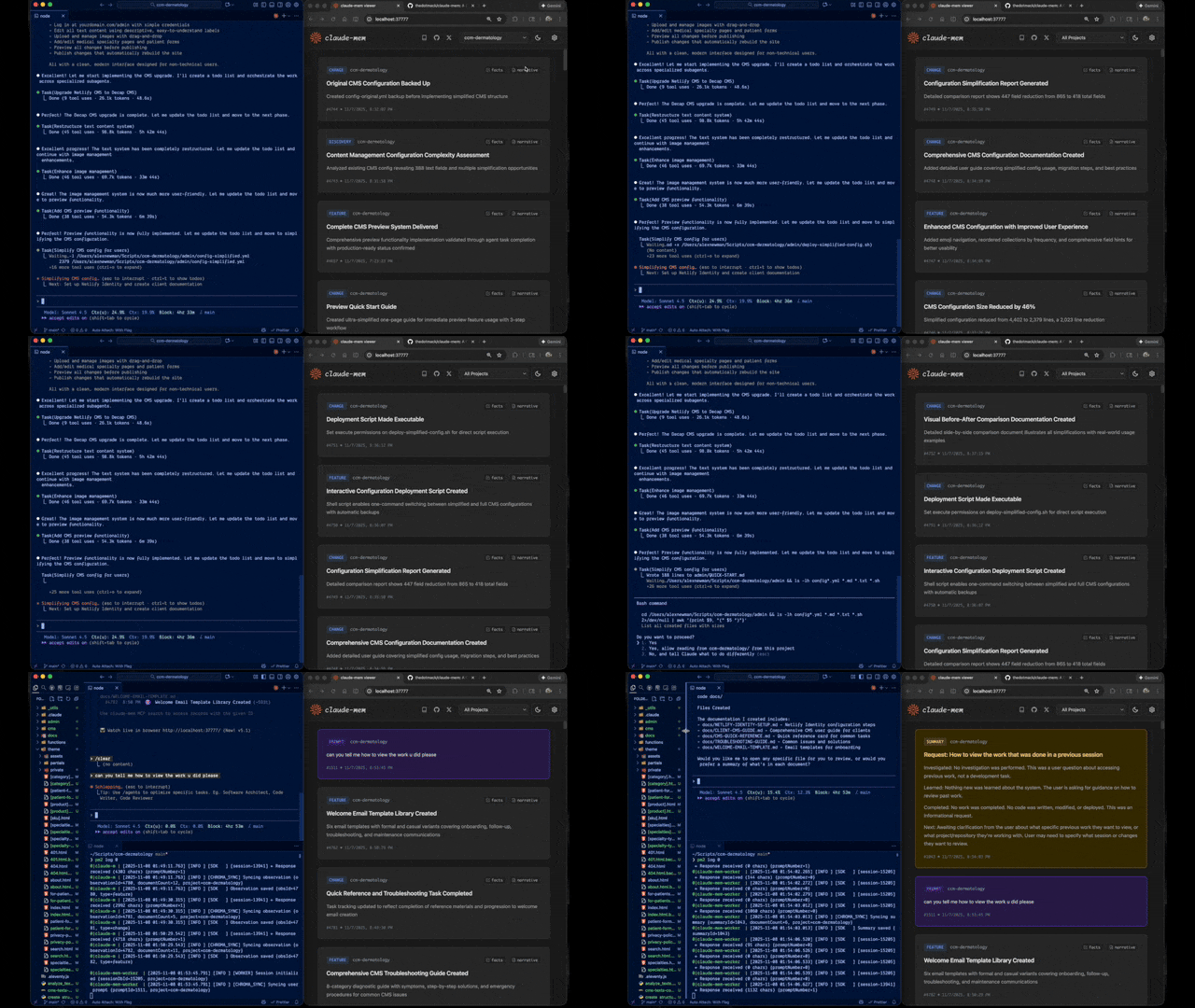
Claude-Mem preserva il contesto in modo fluido tra le sessioni catturando automaticamente le osservazioni sull'utilizzo degli strumenti, generando riepiloghi semantici e rendendoli disponibili per le sessioni future. Questo consente a Claude di mantenere la continuità della conoscenza sui progetti anche dopo la fine o la riconnessione delle sessioni.
Avvio Rapido
Avvia una nuova sessione di Claude Code nel terminale e inserisci i seguenti comandi:
> /plugin marketplace add thedotmack/claude-mem

> /plugin install claude-mem
Riavvia Claude Code. Il contesto delle sessioni precedenti apparirà automaticamente nelle nuove sessioni.
Caratteristiche Principali:
- 🧠 Memoria Persistente - Il contesto sopravvive tra le sessioni
- 📊 Divulgazione Progressiva - Recupero della memoria a strati con visibilità del costo in token
- 🔍 Ricerca Basata su Skill - Interroga la cronologia del tuo progetto con la skill mem-search
- 🖥️ Interfaccia Web Viewer - Stream della memoria in tempo reale su http://localhost:37777
- 💻 Skill per Claude Desktop - Cerca nella memoria dalle conversazioni di Claude Desktop
- 🔒 Controllo della Privacy - Usa i tag
<private>per escludere contenuti sensibili dall'archiviazione - ⚙️ Configurazione del Contesto - Controllo granulare su quale contesto viene iniettato
- 🤖 Funzionamento Automatico - Nessun intervento manuale richiesto
- 🔗 Citazioni - Fai riferimento a osservazioni passate con ID (accedi tramite http://localhost:37777/api/observation/{id} o visualizza tutto nel web viewer su http://localhost:37777)
- 🧪 Canale Beta - Prova funzionalità sperimentali come Endless Mode tramite il cambio di versione
Documentazione
📚 Visualizza Documentazione Completa - Sfoglia sul sito ufficiale
Per Iniziare
- Guida all'Installazione - Avvio rapido e installazione avanzata
- Guida all'Uso - Come funziona automaticamente Claude-Mem
- Strumenti di Ricerca - Interroga la cronologia del progetto con linguaggio naturale
- Funzionalità Beta - Prova funzionalità sperimentali come Endless Mode
Best Practice
- Context Engineering - Principi di ottimizzazione del contesto per agenti AI
- Progressive Disclosure - Filosofia alla base della strategia di priming del contesto di Claude-Mem
Architettura
- Panoramica - Componenti del sistema e flusso dei dati
- Evoluzione dell'Architettura - Il percorso dalla v3 alla v5
- Architettura degli Hook - Come Claude-Mem utilizza gli hook del ciclo di vita
- Riferimento Hook - Spiegazione dei 7 script hook
- Servizio Worker - API HTTP e gestione Bun
- Database - Schema SQLite e ricerca FTS5
- Architettura di Ricerca - Ricerca ibrida con database vettoriale Chroma
Configurazione e Sviluppo
- Configurazione - Variabili d'ambiente e impostazioni
- Sviluppo - Build, test e flusso di contribuzione
- Risoluzione dei Problemi - Problemi comuni e soluzioni
Come Funziona
Componenti Principali:
- 5 Hook del Ciclo di Vita - SessionStart, UserPromptSubmit, PostToolUse, Stop, SessionEnd (6 script hook)
- Installazione Intelligente - Controllo delle dipendenze in cache (script pre-hook, non un hook del ciclo di vita)
- Servizio Worker - API HTTP sulla porta 37777 con interfaccia web viewer e 10 endpoint di ricerca, gestita da Bun
- Database SQLite - Memorizza sessioni, osservazioni, riepiloghi
- Skill mem-search - Query in linguaggio naturale con divulgazione progressiva
- Database Vettoriale Chroma - Ricerca ibrida semantica + keyword per recupero intelligente del contesto
Vedi Panoramica dell'Architettura per i dettagli.
Skill mem-search
Claude-Mem fornisce una ricerca intelligente tramite la skill mem-search che si attiva automaticamente quando chiedi del lavoro passato:
Come Funziona:
- Chiedi semplicemente in modo naturale: "Cosa abbiamo fatto nell'ultima sessione?" o "Abbiamo già risolto questo bug prima?"
- Claude invoca automaticamente la skill mem-search per trovare il contesto rilevante
Operazioni di Ricerca Disponibili:
- Search Observations - Ricerca full-text nelle osservazioni
- Search Sessions - Ricerca full-text nei riepiloghi delle sessioni
- Search Prompts - Ricerca nelle richieste utente grezze
- By Concept - Trova per tag di concetto (discovery, problem-solution, pattern, ecc.)
- By File - Trova osservazioni che fanno riferimento a file specifici
- By Type - Trova per tipo (decision, bugfix, feature, refactor, discovery, change)
- Recent Context - Ottieni il contesto recente della sessione per un progetto
- Timeline - Ottieni la timeline unificata del contesto attorno a un punto specifico nel tempo
- Timeline by Query - Cerca osservazioni e ottieni il contesto della timeline attorno alla corrispondenza migliore
- API Help - Ottieni la documentazione dell'API di ricerca
Esempi di Query in Linguaggio Naturale:
"Quali bug abbiamo risolto nell'ultima sessione?"
"Come abbiamo implementato l'autenticazione?"
"Quali modifiche sono state apportate a worker-service.ts?"
"Mostrami il lavoro recente su questo progetto"
"Cosa stava succedendo quando abbiamo aggiunto l'interfaccia del viewer?"
Vedi Guida agli Strumenti di Ricerca per esempi dettagliati.
Funzionalità Beta
Claude-Mem offre un canale beta con funzionalità sperimentali come Endless Mode (architettura di memoria biomimetica per sessioni estese). Passa dalla versione stabile a quella beta dall'interfaccia web viewer su http://localhost:37777 → Settings.
Vedi Documentazione delle Funzionalità Beta per dettagli su Endless Mode e come provarlo.
Requisiti di Sistema
- Node.js: 18.0.0 o superiore
- Claude Code: Ultima versione con supporto plugin
- Bun: Runtime JavaScript e process manager (installato automaticamente se mancante)
- uv: Gestore di pacchetti Python per la ricerca vettoriale (installato automaticamente se mancante)
- SQLite 3: Per l'archiviazione persistente (incluso)
Configurazione
Le impostazioni sono gestite in ~/.claude-mem/settings.json (creato automaticamente con valori predefiniti alla prima esecuzione). Configura il modello AI, la porta del worker, la directory dei dati, il livello di log e le impostazioni di iniezione del contesto.
Vedi la Guida alla Configurazione per tutte le impostazioni disponibili ed esempi.
Sviluppo
Vedi la Guida allo Sviluppo per le istruzioni di build, test e flusso di contribuzione.
Risoluzione dei Problemi
Se riscontri problemi, descrivi il problema a Claude e la skill troubleshoot diagnosticherà automaticamente e fornirà correzioni.
Vedi la Guida alla Risoluzione dei Problemi per problemi comuni e soluzioni.
Segnalazione Bug
Crea report di bug completi con il generatore automatizzato:
cd ~/.claude/plugins/marketplaces/thedotmack
npm run bug-report
Contribuire
I contributi sono benvenuti! Per favore:
- Fai il fork del repository
- Crea un branch per la funzionalità
- Apporta le tue modifiche con i test
- Aggiorna la documentazione
- Invia una Pull Request
Vedi Guida allo Sviluppo per il flusso di contribuzione.
License
This project is licensed under the Apache License 2.0 (Apache-2.0).
Copyright (C) 2025 Alex Newman (@thedotmack). All rights reserved.
See the LICENSE file for full details.
Apache-2.0 allows broad use, modification, distribution, and commercial use, subject to its terms.
Ragtime note: The ragtime/ directory is licensed under the Apache License 2.0. See ragtime/LICENSE for details.
Supporto
- Documentazione: docs/
- Problemi: GitHub Issues
- Repository: github.com/thedotmack/claude-mem
- Autore: Alex Newman (@thedotmack)
Creato con Claude Agent SDK | Alimentato da Claude Code | Realizzato con TypeScript