 Alex Newman
703c64c756
Alex Newman
703c64c756
* fix: 5 trivial bugs from v12.4.1 issue triage

- #2092: emit CJS-safe banner (no import.meta.url) in worker-service.cjs
- #2100: PreToolUse Read hook timeout 2000s → 60s
- #2131: add "shell": "bash" to every hook for Windows compat
- #2132: Antigravity dir typo .agent → .agents
- #2088: clear inherited MCP servers in worker SDK query() calls

Co-Authored-By: Claude Opus 4.7 (1M context) <noreply@anthropic.com>

* fix: stop context overflow loop + block task-notification leak

- SDKAgent: clear memorySessionId on "prompt is too long" so crash-recovery
  starts a fresh SDK session instead of resuming the same poisoned context
  forever (was producing 68+ failed pending_messages on a single stuck
  session in the wild)
- tag-stripping: new isInternalProtocolPayload() predicate; session-init
  hook + SessionRoutes both skip storage when entire prompt is one of
  Claude Code's autonomous protocol blocks (currently <task-notification>;
  conservative deny-list — does NOT touch <command-name>/<command-message>
  which wrap real user slash-commands)

Co-Authored-By: Claude Opus 4.7 (1M context) <noreply@anthropic.com>

* chore: bump version to 12.4.2

Co-Authored-By: Claude Opus 4.7 (1M context) <noreply@anthropic.com>

* docs: update CHANGELOG.md for v12.4.2

Co-Authored-By: Claude Opus 4.7 (1M context) <noreply@anthropic.com>

* feat(cleanup): one-time v12.4.3 migration purges observer-sessions and stuck pending_messages

Adds CleanupV12_4_3 module that runs once per data dir on worker startup
(after migrations apply, before Chroma backfill). Drops accumulated pollution
that v12.4.0 (observer-sessions filter) and v12.4.2 (context-overflow guard +
task-notification leak block) prevent from recurring:

- DELETE FROM sdk_sessions WHERE project='observer-sessions' (cascades to
  user_prompts, observations, session_summaries via existing FK ON DELETE CASCADE)
- DELETE FROM pending_messages stuck in 'failed'/'processing' for any session
  with >=10 such rows (poisoned chains from the pre-v12.4.2 retry loop;
  threshold spares legitimate transient failures)
- Wipes ~/.claude-mem/chroma and chroma-sync-state.json so backfillAllProjects
  rebuilds the vector store from cleaned SQLite

Pre-flight checks free disk (1.2x DB size + 100MB) via fs.statfsSync; backs up
via VACUUM INTO with copyFileSync fallback; PRAGMA foreign_keys=ON on the
cleanup connection (off by default in bun:sqlite). Marker file
~/.claude-mem/.cleanup-v12.4.3-applied records backup path and counts. Opt-out
via CLAUDE_MEM_SKIP_CLEANUP_V12_4_3=1.

Verified locally: 311MB DB backed up to 277MB in 943ms; 11 observer sessions
+ 3 cascade rows + 141 stuck pending_messages purged; chroma rebuilt via
backfill. Total cleanup time 1.1s.

Co-Authored-By: Claude Opus 4.7 (1M context) <noreply@anthropic.com>

* fix: address PR #2133 code review

- SessionRoutes: check isInternalProtocolPayload before stripping tags
  so internal protocol prompts skip the strip work entirely.
- tag-stripping: bound isInternalProtocolPayload input length to
  256KB to prevent ReDoS-class scans on malformed unclosed tags.
- SDKAgent: extract resetSessionForFreshStart helper; both
  context-overflow paths now share one nullification routine.
- worker-service: drop the per-startup "Checking for one-time
  v12.4.3 cleanup" info log — runs every boot even after marker
  exists; the function already logs at debug/warn when relevant.
- tests: add isInternalProtocolPayload edge cases (whitespace,
  attributes, partial tags, unrelated tags, oversize input).

Co-Authored-By: Claude Opus 4.7 (1M context) <noreply@anthropic.com>

* fix: address Greptile P2 comments on PR #2133

CleanupV12_4_3.ts: derive backup directory and restore-hint path from
effectiveDataDir instead of the module-level BACKUPS_DIR/DB_PATH
constants. The dataDirectory override is meant for test isolation;
the prior version still wrote backups to the production directory.

SessionRoutes.ts: move isInternalProtocolPayload guard to the top of
handleSessionInitByClaudeId, before createSDKSession. The previous
position blocked the user_prompts insert but still created an empty
sdk_sessions row, asymmetric with the hook-layer guard in
session-init.ts.

Co-Authored-By: Claude Opus 4.7 (1M context) <noreply@anthropic.com>

* fix(cleanup): retry on disk-skip; survive chroma wipe failure

CodeRabbit Major + Claude review:

- Disk pre-flight skip no longer writes the marker. A user temporarily
  low on disk would otherwise have the cleanup permanently disabled
  even after freeing space. Retry on next startup instead.

- Wrap wipeChromaArtifacts in try/catch and write the marker even on
  failure (with chromaWipeError captured). Without this, an rmSync
  permission failure on chroma/ left writeMarker unreached, so every
  subsequent boot re-ran the SQL purge AND created a fresh backup,
  consuming disk indefinitely.

Co-Authored-By: Claude Opus 4.7 (1M context) <noreply@anthropic.com>

* fix(cleanup): close backup handle before copyFileSync fallback

Claude review:

- backupDb is now closed before falling into the copyFileSync fallback.
  On Windows an open SQLite handle holds a file lock that can prevent
  the fallback copy from reading the source. The previous version only
  closed after both branches completed.

- Add empty-body <task-notification></task-notification> case to the
  isInternalProtocolPayload tests for completeness.

Cascade-row count queries already match the actual FK columns
(content_session_id for user_prompts, memory_session_id for
observations / session_summaries) — no fix needed there.

Co-Authored-By: Claude Opus 4.7 (1M context) <noreply@anthropic.com>

* fix(cleanup): accurate session count + add migration tests

Claude review v3:

session-init.ts: filter on rawPrompt before the [media prompt]
substitution. Functionally equivalent but explicit — the check no
longer depends on the substitution leaving real protocol payloads
untouched.

CleanupV12_4_3.ts: counts.observerSessions now comes from a pre-DELETE
COUNT(*), not from result.changes. bun:sqlite inflates result.changes
with FTS-trigger and cascade row counts (the user_prompts_fts triggers
inflate a 3-session purge to 19 changes). The previous code logged a
misleading total and wrote it to the marker.

tests/infrastructure/cleanup-v12_4_3.test.ts: happy-path coverage of
the migration against a real on-disk SQLite under a tmpdir. Verifies
observer-session purge with cascades, stuck pending_messages purge,
chroma artifact wipe, marker payload shape, idempotency on re-run, and
CLAUDE_MEM_SKIP_CLEANUP_V12_4_3 opt-out.

Co-Authored-By: Claude Opus 4.7 (1M context) <noreply@anthropic.com>

* fix(protocol-filter): close two-block false positive; address review

CodeRabbit + Claude review v5:

tag-stripping.ts: PROTOCOL_ONLY_REGEX rewritten with a negative-lookahead
body so a prompt like "<task-notification>x</task-notification> hi
<task-notification>y</task-notification>" no longer matches as a single
outer block — the prior greedy [\s\S]* spanned the middle user text and
would have silently dropped a real prompt. Confirmed via probe.

tag-stripping.test.ts: drop the 50ms wall-clock assertion (CI flake);
add the two-block-with-text case as a regression test.

SessionRoutes.ts: filter on req.body.prompt directly, before the
[media prompt] substitution and 256KB truncation. Mirrors the
session-init.ts hook-layer ordering and ensures a protocol payload
that happens to be near the byte limit isn't truncated before the
filter runs.

cleanup-v12_4_3.test.ts: add stuckCount=9 below-threshold case
verifying pending_messages with <10 stuck rows are preserved.

Co-Authored-By: Claude Opus 4.7 (1M context) <noreply@anthropic.com>

* fix(cleanup): include WAL/SHM in backup fallback; safer rollback

CodeRabbit Major + Claude review v6:

CleanupV12_4_3.ts: when VACUUM INTO fails and copyFileSync runs, also
copy any -wal/-shm sidecars. The DB is configured WAL mode, so recent
committed pages can live in those files; copying only the .db would
miss them. VACUUM INTO already captures everything in one file, so
the happy path is unaffected.

CleanupV12_4_3.ts: wrap ROLLBACK in try/catch so a no-op rollback
(SQLite already rolled back on a constraint failure) cannot shadow
the original purge error.

SDKAgent.ts: align both context-overflow log levels to error. Both
branches are fatal-recovery paths; the previous warn/error split was
inconsistent and made the throw branch easy to miss in logs.

Co-Authored-By: Claude Opus 4.7 (1M context) <noreply@anthropic.com>

* fix: pre-count stuck pending_messages; document adjacent-block fall-through

Claude review v7:

CleanupV12_4_3.ts: runStuckPendingPurge now uses a SELECT COUNT(*)
before the DELETE, matching the pattern in runObserverSessionsPurge.
result.changes is reliable today (no FTS on pending_messages) but the
explicit count protects against future schema additions, and keeps
the two purges symmetric.

tag-stripping.test.ts: add test documenting that adjacent protocol
blocks (no user text between) deliberately fall through to storage.
The deny-list is per-block; concatenations are out of scope.

Skipped per project rules / Node API constraints:
- frsize fallback in disk check: Node/Bun StatFs doesn't expose frsize
- VACUUM-INTO comment: comment-only suggestion
- Overflow string constant extraction: low value

Co-Authored-By: Claude Opus 4.7 (1M context) <noreply@anthropic.com>

---------

Co-authored-by: Claude Opus 4.7 (1M context) <noreply@anthropic.com>


🇨🇳 中文 • 🇹🇼 繁體中文 • 🇯🇵 日本語 • 🇵🇹 Português • 🇧🇷 Português • 🇰🇷 한국어 • 🇪🇸 Español • 🇩🇪 Deutsch • 🇫🇷 Français • 🇮🇱 עברית • 🇸🇦 العربية • 🇷🇺 Русский • 🇵🇱 Polski • 🇨🇿 Čeština • 🇳🇱 Nederlands • 🇹🇷 Türkçe • 🇺🇦 Українська • 🇻🇳 Tiếng Việt • 🇵🇭 Tagalog • 🇮🇩 Indonesia • 🇹🇭 ไทย • 🇮🇳 हिन्दी • 🇧🇩 বাংলা • 🇵🇰 اردو • 🇷🇴 Română • 🇸🇪 Svenska • 🇮🇹 Italiano • 🇬🇷 Ελληνικά • 🇭🇺 Magyar • 🇫🇮 Suomi • 🇩🇰 Dansk • 🇳🇴 Norsk
Persistent memory compression system built for Claude Code.





|
|
Quick Start • How It Works • Search Tools • Documentation • Configuration • Troubleshooting • License
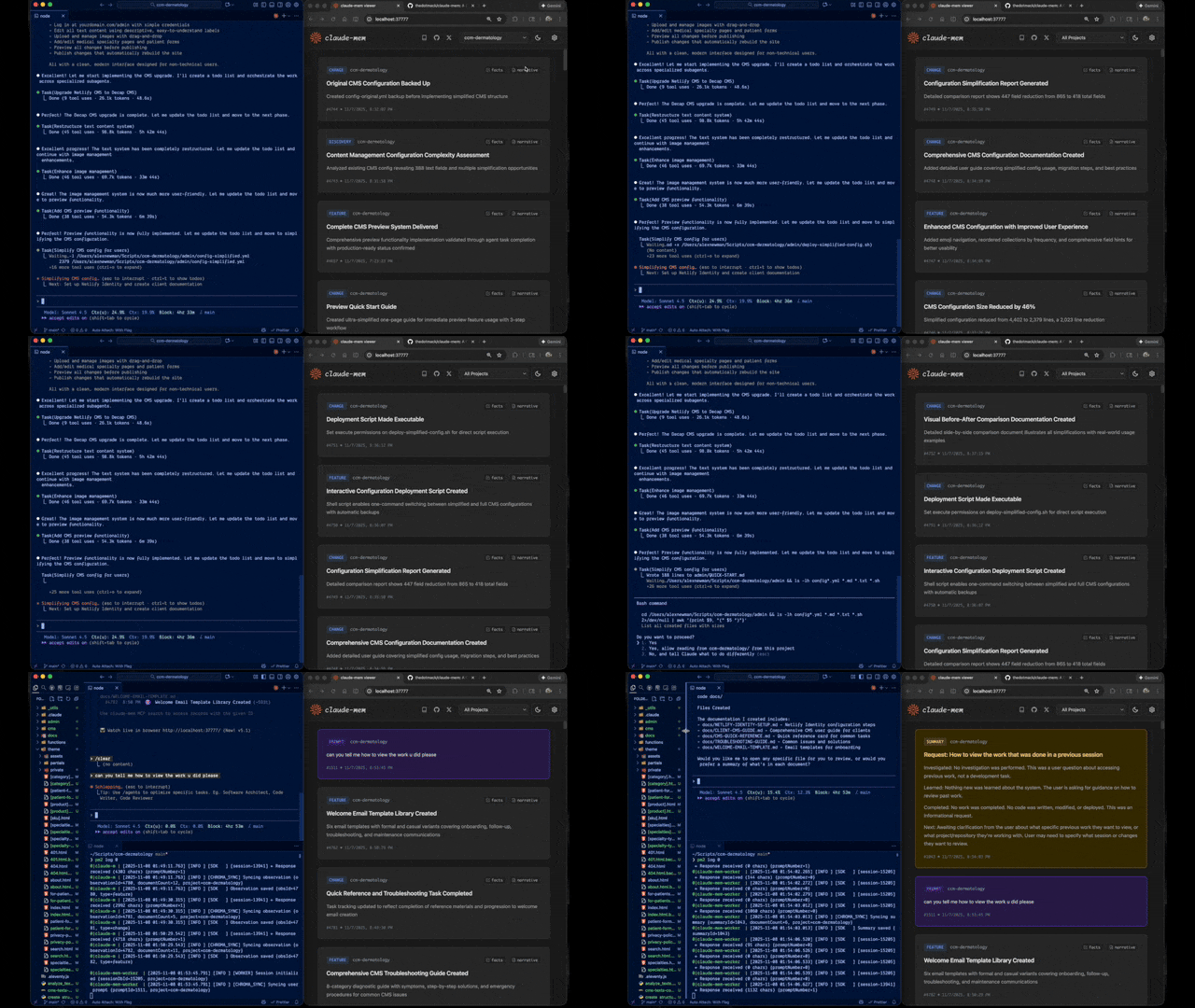
Claude-Mem seamlessly preserves context across sessions by automatically capturing tool usage observations, generating semantic summaries, and making them available to future sessions. This enables Claude to maintain continuity of knowledge about projects even after sessions end or reconnect.
Quick Start
Install with a single command:
npx claude-mem install
Or install for Gemini CLI (auto-detects ~/.gemini):
npx claude-mem install --ide gemini-cli
Or install for OpenCode:
npx claude-mem install --ide opencode
Or install from the plugin marketplace inside Claude Code:
/plugin marketplace add thedotmack/claude-mem

/plugin install claude-mem
Restart Claude Code or Gemini CLI. Context from previous sessions will automatically appear in new sessions.
Note: Claude-Mem is also published on npm, but
npm install -g claude-meminstalls the SDK/library only — it does not register the plugin hooks or set up the worker service. Always install vianpx claude-mem installor the/plugincommands above.
🦞 OpenClaw Gateway
Install claude-mem as a persistent memory plugin on OpenClaw gateways with a single command:
curl -fsSL https://install.cmem.ai/openclaw.sh | bash
The installer handles dependencies, plugin setup, AI provider configuration, worker startup, and optional real-time observation feeds to Telegram, Discord, Slack, and more. See the OpenClaw Integration Guide for details.
Key Features:
- 🧠 Persistent Memory - Context survives across sessions
- 📊 Progressive Disclosure - Layered memory retrieval with token cost visibility
- 🔍 Skill-Based Search - Query your project history with mem-search skill
- 🖥️ Web Viewer UI - Real-time memory stream at http://localhost:37777
- 💻 Claude Desktop Skill - Search memory from Claude Desktop conversations
- 🔒 Privacy Control - Use
<private>tags to exclude sensitive content from storage - ⚙️ Context Configuration - Fine-grained control over what context gets injected
- 🤖 Automatic Operation - No manual intervention required
- 🔗 Citations - Reference past observations with IDs (access via http://localhost:37777/api/observation/{id} or view all in the web viewer at http://localhost:37777)
- 🧪 Beta Channel - Try experimental features like Endless Mode via version switching
Documentation
📚 View Full Documentation - Browse on official website
Getting Started
- Installation Guide - Quick start & advanced installation
- Gemini CLI Setup - Dedicated guide for Google's Gemini CLI integration
- Usage Guide - How Claude-Mem works automatically
- Search Tools - Query your project history with natural language
- Beta Features - Try experimental features like Endless Mode
Best Practices
- Context Engineering - AI agent context optimization principles
- Progressive Disclosure - Philosophy behind Claude-Mem's context priming strategy
Architecture
- Overview - System components & data flow
- Architecture Evolution - The journey from v3 to v5
- Hooks Architecture - How Claude-Mem uses lifecycle hooks
- Hooks Reference - 7 hook scripts explained
- Worker Service - HTTP API & Bun management
- Database - SQLite schema & FTS5 search
- Search Architecture - Hybrid search with Chroma vector database
Configuration & Development
- Configuration - Environment variables & settings
- Development - Building, testing, contributing
- Troubleshooting - Common issues & solutions
How It Works
Core Components:
- 5 Lifecycle Hooks - SessionStart, UserPromptSubmit, PostToolUse, Stop, SessionEnd (6 hook scripts)
- Smart Install - Cached dependency checker (pre-hook script, not a lifecycle hook)
- Worker Service - HTTP API on port 37777 with web viewer UI and 10 search endpoints, managed by Bun
- SQLite Database - Stores sessions, observations, summaries
- mem-search Skill - Natural language queries with progressive disclosure
- Chroma Vector Database - Hybrid semantic + keyword search for intelligent context retrieval
See Architecture Overview for details.
MCP Search Tools
Claude-Mem provides intelligent memory search through 4 MCP tools following a token-efficient 3-layer workflow pattern:
The 3-Layer Workflow:
search- Get compact index with IDs (~50-100 tokens/result)timeline- Get chronological context around interesting resultsget_observations- Fetch full details ONLY for filtered IDs (~500-1,000 tokens/result)
How It Works:
- Claude uses MCP tools to search your memory
- Start with
searchto get an index of results - Use
timelineto see what was happening around specific observations - Use
get_observationsto fetch full details for relevant IDs - ~10x token savings by filtering before fetching details
Available MCP Tools:
search- Search memory index with full-text queries, filters by type/date/projecttimeline- Get chronological context around a specific observation or queryget_observations- Fetch full observation details by IDs (always batch multiple IDs)
Example Usage:
// Step 1: Search for index
search(query="authentication bug", type="bugfix", limit=10)

// Step 2: Review index, identify relevant IDs (e.g., #123, #456)

// Step 3: Fetch full details
get_observations(ids=[123, 456])
See Search Tools Guide for detailed examples.
Beta Features
Claude-Mem offers a beta channel with experimental features like Endless Mode (biomimetic memory architecture for extended sessions). Switch between stable and beta versions from the web viewer UI at http://localhost:37777 → Settings.
See Beta Features Documentation for details on Endless Mode and how to try it.
System Requirements
- Node.js: 18.0.0 or higher
- Claude Code: Latest version with plugin support
- Bun: JavaScript runtime and process manager (auto-installed if missing)
- uv: Python package manager for vector search (auto-installed if missing)
- SQLite 3: For persistent storage (bundled)
Windows Setup Notes
If you see an error like:
npm : The term 'npm' is not recognized as the name of a cmdlet
Make sure Node.js and npm are installed and added to your PATH. Download the latest Node.js installer from https://nodejs.org and restart your terminal after installation.
Configuration
Settings are managed in ~/.claude-mem/settings.json (auto-created with defaults on first run). Configure AI model, worker port, data directory, log level, and context injection settings.
See the Configuration Guide for all available settings and examples.
Mode & Language Configuration
Claude-Mem supports multiple workflow modes and languages via the CLAUDE_MEM_MODE setting.
This option controls both:
- The workflow behavior (e.g. code, chill, investigation)
- The language used in generated observations
How to Configure
Edit your settings file at ~/.claude-mem/settings.json:
{
  "CLAUDE_MEM_MODE": "code--zh"
}
Modes are defined in plugin/modes/. To see all available modes locally:
ls ~/.claude/plugins/marketplaces/thedotmack/plugin/modes/
Available Modes
| Mode | Description |
|---|---|
code |
Default English mode |
code--zh |
Simplified Chinese mode |
code--ja |
Japanese mode |
Language-specific modes follow the pattern code--[lang] where [lang] is the ISO 639-1 language code (e.g., zh for Chinese, ja for Japanese, es for Spanish).
Note:
code--zh(Simplified Chinese) is already built-in — no additional installation or plugin update is required.
After Changing Mode
Restart Claude Code to apply the new mode configuration.
Development
See the Development Guide for build instructions, testing, and contribution workflow.
Troubleshooting
If experiencing issues, describe the problem to Claude and the troubleshoot skill will automatically diagnose and provide fixes.
See the Troubleshooting Guide for common issues and solutions.
Bug Reports
Create comprehensive bug reports with the automated generator:
cd ~/.claude/plugins/marketplaces/thedotmack
npm run bug-report
Contributing
Contributions are welcome! Please:
- Fork the repository
- Create a feature branch
- Make your changes with tests
- Update documentation
- Submit a Pull Request
See Development Guide for contribution workflow.
License
This project is licensed under the GNU Affero General Public License v3.0 (AGPL-3.0).
Copyright (C) 2025 Alex Newman (@thedotmack). All rights reserved.
See the LICENSE file for full details.
What This Means:
- You can use, modify, and distribute this software freely
- If you modify and deploy on a network server, you must make your source code available
- Derivative works must also be licensed under AGPL-3.0
- There is NO WARRANTY for this software
Note on Ragtime: The ragtime/ directory is licensed separately under the PolyForm Noncommercial License 1.0.0. See ragtime/LICENSE for details.
Support
- Documentation: docs/
- Issues: GitHub Issues
- Repository: github.com/thedotmack/claude-mem
- Official X Account: @Claude_Memory
- Official Discord: Join Discord
- Author: Alex Newman (@thedotmack)
Built with Claude Agent SDK | Powered by Claude Code | Made with TypeScript
What About $CMEM?
$CMEM is a solana token created by a 3rd party without Claude-Mem's prior consent, but officially embraced by the creator of Claude-Mem (Alex Newman, @thedotmack). The token acts as a community catalyst for growth and a vehicle for bringing real-time agent data to the developers and knowledge workers that need it most. $CMEM: 2TsmuYUrsctE57VLckZBYEEzdokUF8j8e1GavekWBAGS